EasyManua.ls Logo

Manhattan Sound Science Orbit - User Manual

Manhattan Sound Science Orbit
8 pages
Print Icon
To Next Page IconTo Next Page
Loading...
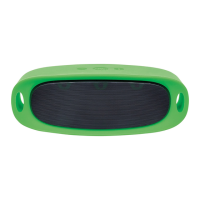
Durable Wireless Speaker
Question and Answer IconNeed help?

Do you have a question about the Manhattan Sound Science Orbit and is the answer not in the manual?

Summary

Sound Science Orbit Features and Controls

Top Panel Controls

Details the functions of buttons 1, 2, and 3 located on the top of the speaker for playback and volume control.

Back Panel Ports

Identifies the power switch, charging port, audio line-in, and card/USB ports on the back panel.

Operating Modes and Charging

Bluetooth Mode Operation

Instructions for pairing, connecting, and using the speaker via Bluetooth technology.

Line-in Mode Operation

Guide on connecting and playing audio using the 3.5mm audio line-in port.

Speaker Charging

Details on how to charge the device using the Micro-USB port and the charging time.

Safety Warnings

Important precautions regarding water submersion, shock, dust, and extreme temperatures.

Summary

Sound Science Orbit Features and Controls

Top Panel Controls

Details the functions of buttons 1, 2, and 3 located on the top of the speaker for playback and volume control.

Back Panel Ports

Identifies the power switch, charging port, audio line-in, and card/USB ports on the back panel.

Operating Modes and Charging

Bluetooth Mode Operation

Instructions for pairing, connecting, and using the speaker via Bluetooth technology.

Line-in Mode Operation

Guide on connecting and playing audio using the 3.5mm audio line-in port.

Speaker Charging

Details on how to charge the device using the Micro-USB port and the charging time.

Safety Warnings

Important precautions regarding water submersion, shock, dust, and extreme temperatures.

Manhattan Sound Science Orbit Specifications

General IconGeneral
BrandManhattan
ModelSound Science Orbit
CategorySpeaker System
LanguageEnglish