EasyManua.ls Logo

Manta RS4505BT - User Manual

Manta RS4505BT
9 pages
Print Icon
To Next Page IconTo Next Page
Loading...
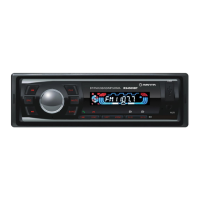
MODEL RS4505BT
Instrukcja obsługi/User’s Manual/Bedienungsanleitung/Istruzioni d’uso/
Manual de usuario/Návod k obsluze/Инструкция использования
Podstawowe funkcje/Basic operations/Hauptfunktionen/Ámbito básico de funcionamiento/
Funzionamento base del dispositivo/Základní rozsah funkcí/Основная область действия
1. SRC
Wciśnięcie włącza urządzenie, dłuższe wciśnięcie wyłącza. Przy włączonym urządzeniu,
wciskanie zmienia tryby: USB-SD-FM-AUX./Press the switch to power on, long press the switch
to power off. When powered, pressing change modes: USB-SD-FM-AUX. /Ein kurzes Drücken der
Taste hat das Einschalten des Geräts zur Folge, durch längeres Drücken schalten Sie das Gerät ab.
Drücken beim eingeschalteten Gerät hat das Wechseln zwischen den Modi zur Folge: USB-SD-FM-
-AUX. /Pulsar para conectar el dispositivo. Mantener pulsado, para apagar dispositivo. Pulsar con
dispositivo conectado, para conmutar modos: USB-SD-FM-AUX. /Premendo si accende il dispo-
sitivo, tenendo premuto si provoca lo spegnimento. Quando il dispositivo è acceso premendo si
possono effettuare cambiamenti di modalità : USB-SD-FM-AUX. Ingresso aggiuntivo per dispositivi.
/Stisknutím tohoto tlačítka zařízení zapnete, delším stisknutím zařízení vypnete. Pokud je zařízení
zapnuto, stisknutím změníte režimy: USB-SD-FM-AUX. /Нажатие приводит к включению
устройства, долгое нажатие приводит к выключению устройства. При включенном
устройстве нажатие приводит к изменению режимов: USB-SD-FM-AUX.
2. VOL
Głośność należy regulować korzystając z pokrętła VOL. /Adjust the volume by rotating
the VOL knob. / Die Lautstärke wird mit dem VOL Drehknopf auf dem Paneel. / Ajustar el volumen
con la perilla VOL. / Il volume deve essere regolato utilizzando la manopola VOL sul pannello. /
Hlasitost regulujte pomocí otočného tlačítka VOL na pane
lu. / Громкость
следует регулировать
с помощью регулятора VOL на панели.
34
5
76
8
9
10 12
11
1
2
13
13
14
15
Question and Answer IconNeed help?

Do you have a question about the Manta RS4505BT and is the answer not in the manual?

Summary

Basic Operations

SRC Button Functionality

Controls power on/off and mode switching (USB, SD, FM, AUX).

Volume Adjustment

Adjusts audio volume using the rotary knob.

Radio Station Select;Save & INTRO

Selects preset station 2 or saves current frequency; activates INTRO mode in USB/SD.

Radio Station Select;Save & Playback Control

Selects preset station 1 or saves frequency; pauses/resumes playback in USB/SD.

Clock Display and Mute Function

Displays clock and allows muting/unmuting audio.

+;- 10 Functionality

Cycles through radio stations 5/6 or advances/reverses 10 tracks in USB/SD.

Radio Band Selection

Switches between FM bands (FM1, FM2, FM3) or searches for strong signals.

Random;Order Playback & Station Select

Plays stations randomly or in order in USB/SD; selects station 4 in radio.

Repeat Track Function

Repeats single or all tracks in USB/SD mode; selects station 3 in radio.

Media Input Ports (USB, SD, AUX IN)

Includes USB, SD card, and AUX IN for media playback.

Display and Bluetooth Connectivity

Shows caller ID and enables Bluetooth pairing for calls.

Installation and Removal

Mounting the Unit

Instructions for placing the radio into a mounting hole or cassette.

Adjusting Mounting Tabs

Bending right tabs to fit the panel thickness for secure installation.

Removing the Unit

Using accessory keys to unlock and remove the radio from its housing.

Wiring Connections

Power Supply and Ignition

Connects the device to the vehicle's power and ignition sources.

Speaker Outputs

Defines connections for front and rear speakers for audio output.

Antenna and Line-Out

Connects the antenna for radio reception and RCA for audio output.

Summary

Basic Operations

SRC Button Functionality

Controls power on/off and mode switching (USB, SD, FM, AUX).

Volume Adjustment

Adjusts audio volume using the rotary knob.

Radio Station Select;Save & INTRO

Selects preset station 2 or saves current frequency; activates INTRO mode in USB/SD.

Radio Station Select;Save & Playback Control

Selects preset station 1 or saves frequency; pauses/resumes playback in USB/SD.

Clock Display and Mute Function

Displays clock and allows muting/unmuting audio.

+;- 10 Functionality

Cycles through radio stations 5/6 or advances/reverses 10 tracks in USB/SD.

Radio Band Selection

Switches between FM bands (FM1, FM2, FM3) or searches for strong signals.

Random;Order Playback & Station Select

Plays stations randomly or in order in USB/SD; selects station 4 in radio.

Repeat Track Function

Repeats single or all tracks in USB/SD mode; selects station 3 in radio.

Media Input Ports (USB, SD, AUX IN)

Includes USB, SD card, and AUX IN for media playback.

Display and Bluetooth Connectivity

Shows caller ID and enables Bluetooth pairing for calls.

Installation and Removal

Mounting the Unit

Instructions for placing the radio into a mounting hole or cassette.

Adjusting Mounting Tabs

Bending right tabs to fit the panel thickness for secure installation.

Removing the Unit

Using accessory keys to unlock and remove the radio from its housing.

Wiring Connections

Power Supply and Ignition

Connects the device to the vehicle's power and ignition sources.

Speaker Outputs

Defines connections for front and rear speakers for audio output.

Antenna and Line-Out

Connects the antenna for radio reception and RCA for audio output.

Manta RS4505BT Specifications

General IconGeneral
BrandManta
ModelRS4505BT
CategoryCar Receiver
LanguageEnglish