15
DTCXSL02EN - v2
11 - SAFETY AND USE: PURPOSE OF USE AND USES TO BE AVOIDED
Check the working environment before performing any intervention on the door:
- Keep the working space clean and neat.
- Ensure a good illumination.
- Sign the limits of your working space, to keep other people away.
Wear proper working clothes:
- Don’t wear loose clothes, jewelry, ties or other elements which may be trapped by elements in motion.
- Tie up long hear.
- Always use the Individual Protection Equipment
Avoid bad habits during work:
- Avoid positons which may make you feel tired
- Always stand firmly on the floor.
- Do not use any parts of machines as supporting elements for people or objects.
Keep always alert:
- Look after your work
- Use common sense.
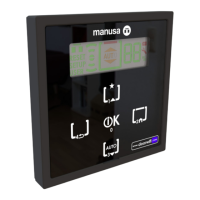
The SMART selector has been designed to select the operating mode of manusa automatic doors and to set up and adjust the
different operating parameters and functions. The warnings on this selector will be complemented and extended with additional
indications and warnings contained in the manual supplied with the automatic door, on which the selector is mounted.
Below we list some of the uses to be strictly avoided:
- Do not modify the selector or any of its components.
- Do not allow children to play with the selector.
- Do not disconnect, manipulate or put out of service the doors' safety components.
- Do not use any spare parts which are not the original parts provided by manusa.
- Do not use the selector as a support element for objects or persons
- Do not, under any circumstance, open and manipulate the inside of the selector or its connections, unless this is
carried out by a manusa authorised service technician.
This list includes unintended uses which are reasonably foreseeable in connection with the use of this selector. However,
manusa is not responsible for any possible accidents or damage caused by any other misuse not listed above.
12 - RESET THE SELECTOR ADDRESS
If the selector is not detected by the door, proceed to reset the internal address of the selector. To reset, press the three but-
tons simultaneously until message “ADDRESS RESET” is shown on the display.



 To Next Page
 Loading...