Quick Reference Guide Series
Maplejet Co
www.maplejet.com
technical@maplejet.com
Sensor Installation:
Guidelines
- The printing position of all products in the production line must be aligned and identical to obtain the
same direction without any vibration.
- Ensure that the product is passing accurately in front of the sensor and nozzle.
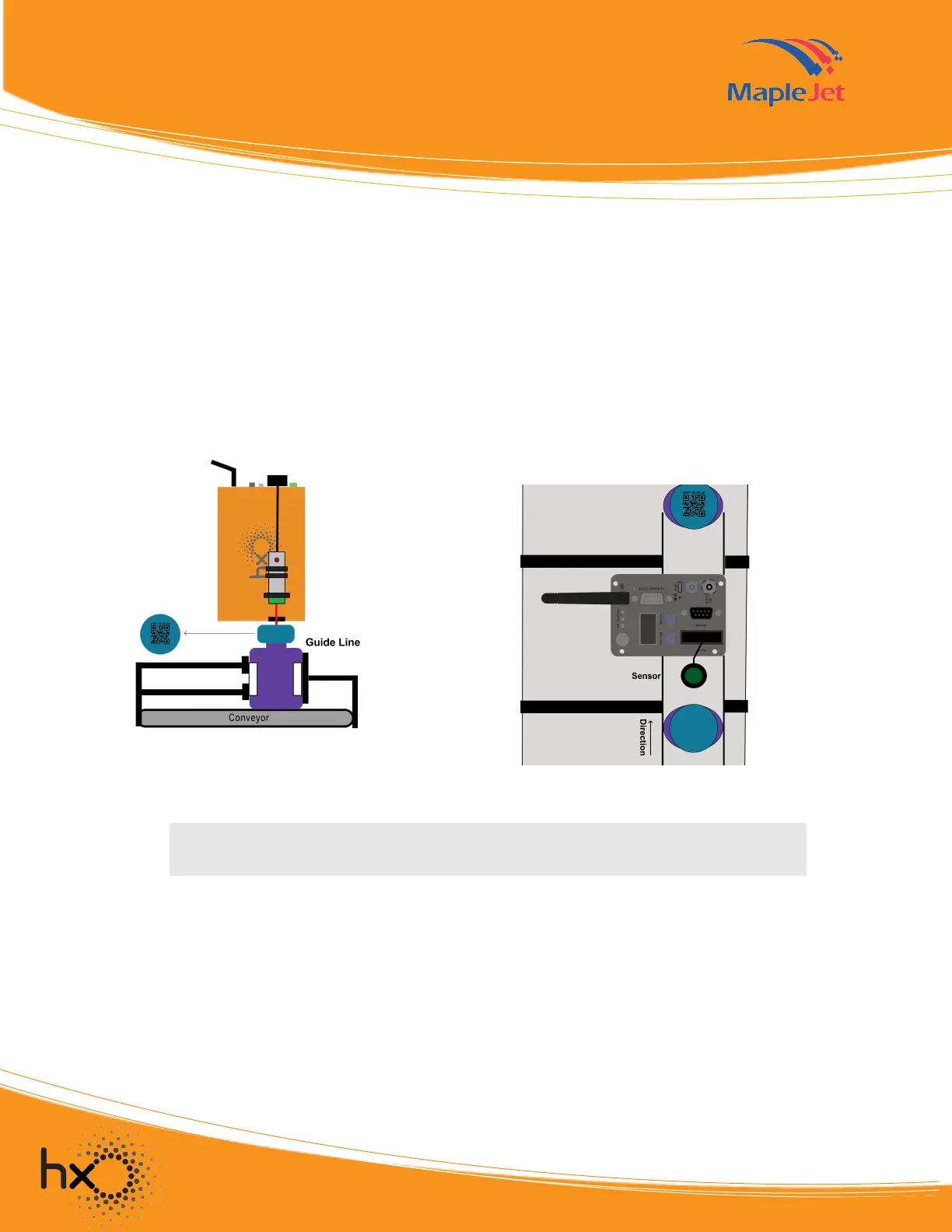
- The sensor should be installed in the direction of the printer nozzles as shown in Figure 4 & 5.
Delay Time
Delay time is a print parameter that is set in the software, Vanguard Create. It is the length of time before
the printer prints after the product passes through the sensor. Setting the delay time depends on the speed
of the conveyor and the distance between the print position and the printer’s nozzles.
Reminder: Awareness on the guidelines is very important during the installation.
Figure 4. Product passing through
the nozzle and sensor
Figure 5. Product alignment with the
nozzle and sensor


 To Next Page
 Loading...