55
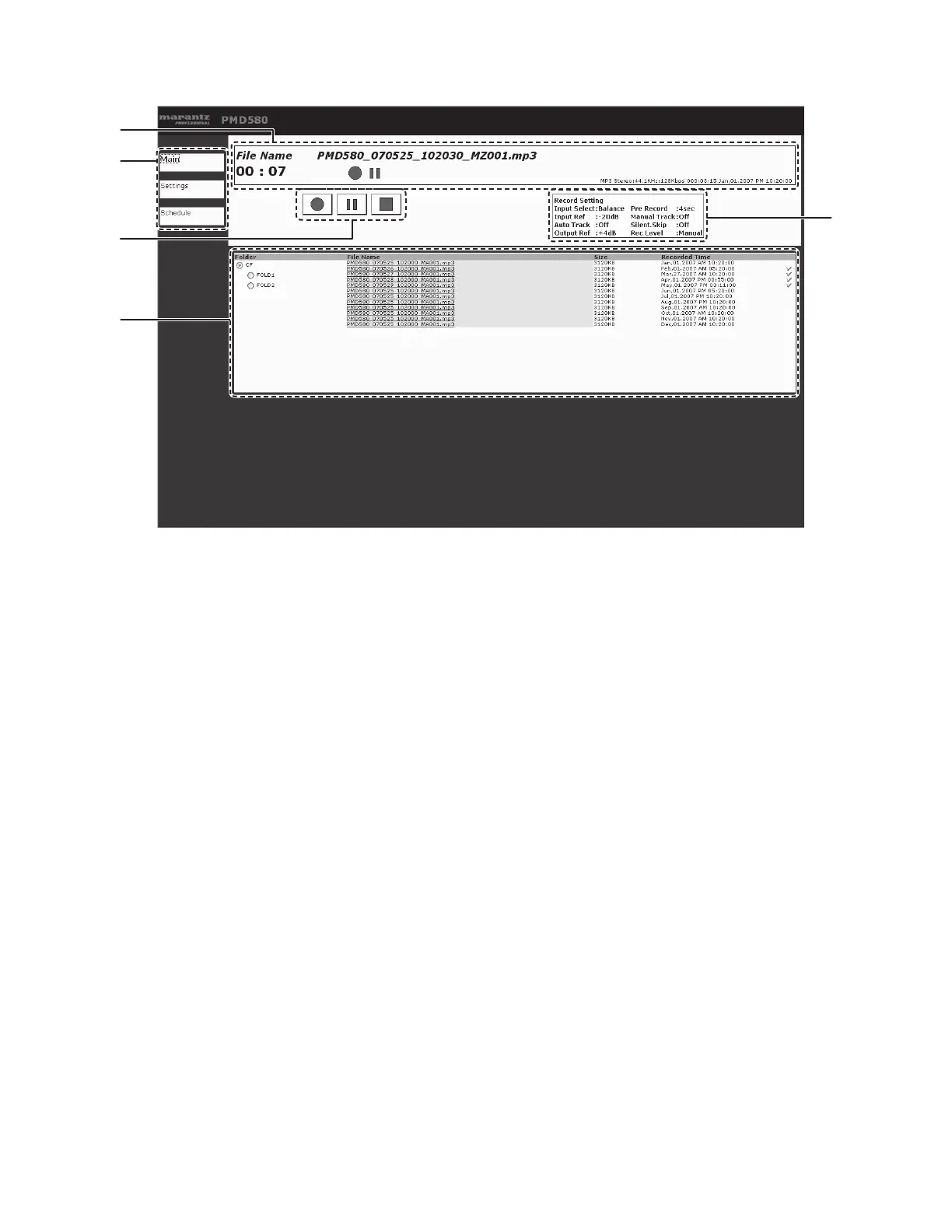
Main screen
t
e
r
q
w
q Status Indicator
The status of the PMD580, file name and the time
information is shown in this area.
w Page buttons
The display jumps to the other pages using these
buttons.
e Rec control
REC, REC-PAUSE and STOP allow you to control the
PMD580 in the same way as operating front panel.
r File List
The list of files in a CF card is shown in this area.
t Record settings
The record format and settings are shown in this area.
Note:
Click the file name you want to save in your computer. A file
download dialogue box will appear.


 To Next Page