58
System Settings
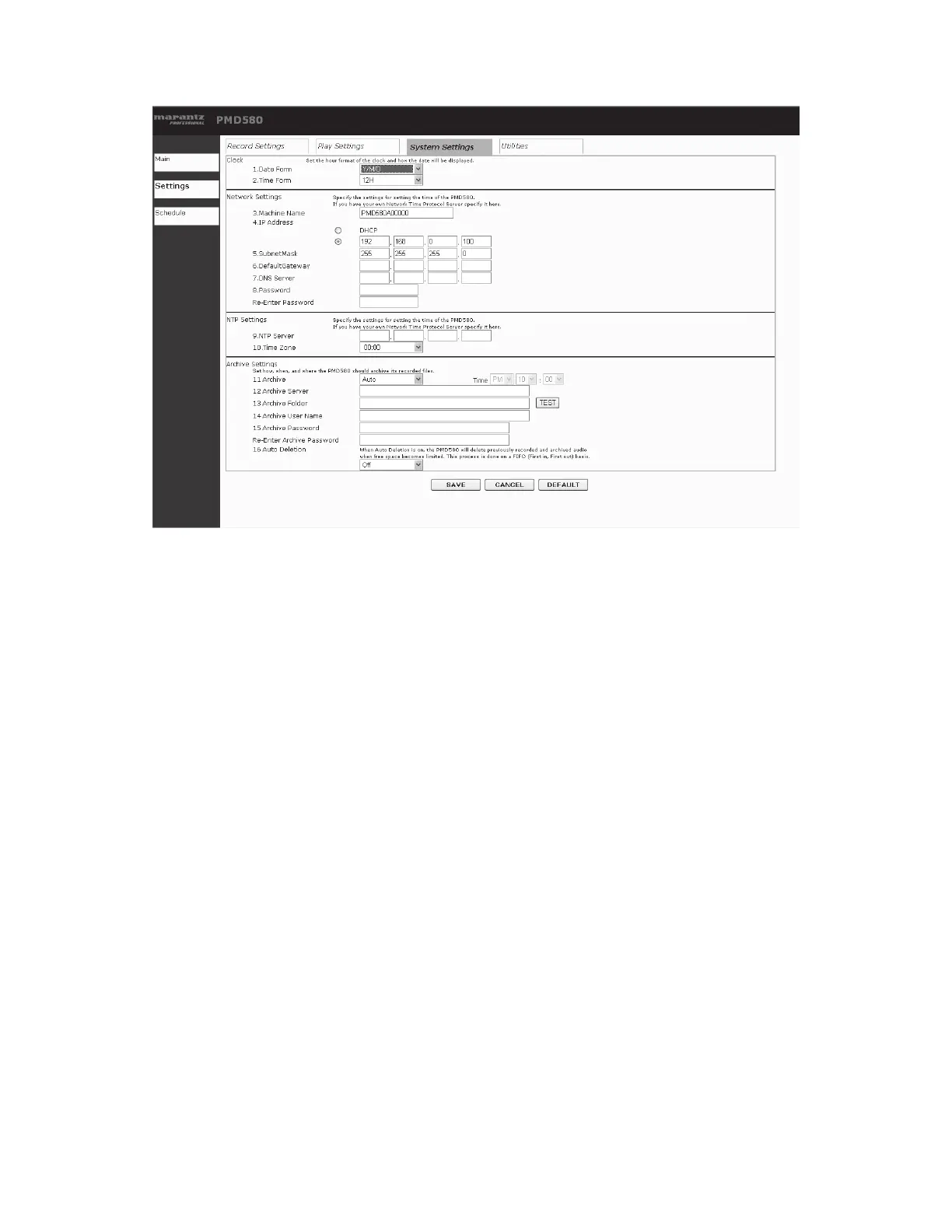
The system settings screen allows you to modify the system settings in the preset menu.
Select an item from the list box.
Buttons and Functions
• Main button
The display changes to the main page. Changed settings
are not stored.
• Settings button
Nothing happens.
• Schedule button
The display changes to the Schedule page.
• Record Settings button
The display changes to the Rec Settings page.
• Play Settings button
The display changes to the Playback settings page.
• System Settings button
Nothing happens.
• Utility button
The display changes to the Utility page.
• SAVE button
The changed settings are stored.
• CANCEL button
The changed settings are cancelled and returns to the
stored value.
• Default button
The system settings are cleared and the default values
are set.


 To Next Page