EasyManua.ls Logo

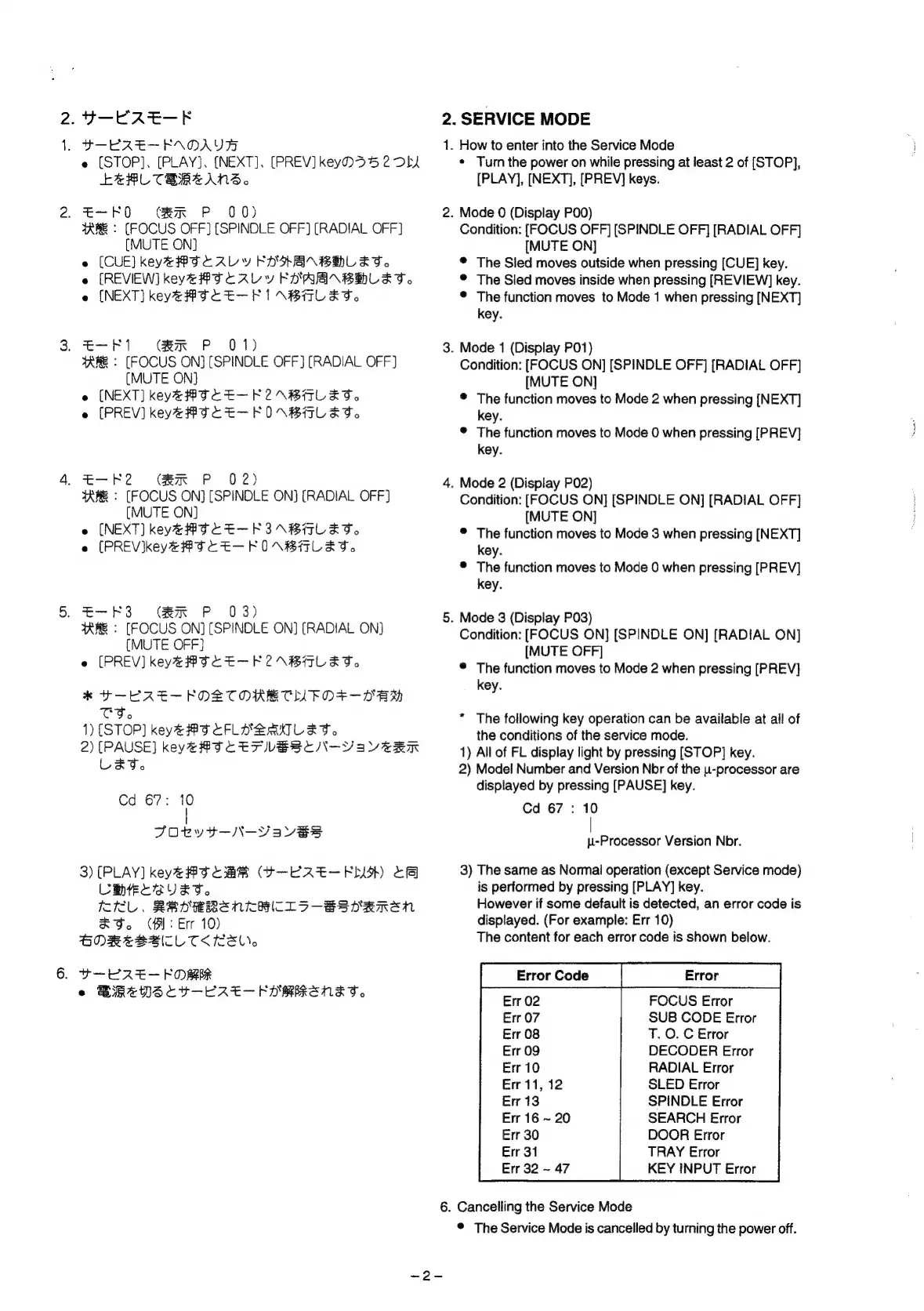
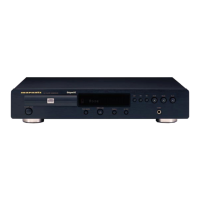
Marantz CD-67 - Service Mode Operations; Entering Service Mode; Service Mode Functions and Navigation; Error Code Reference

Marantz CD-67
19 pages
Print Icon
To Next Page IconTo Next Page
To Previous Page IconTo Previous Page
Loading...
6.
A
fag
Ss
ae
.
POE
RE-EAOAU
e
(STOP].
[PLAY],
(NEXT].
[PREV]
keyD55
2
DLA
LeRL
CEREANS.~
»
HPO
-
Ger
P00)
TARE:
(FOCUS
OFF]
[SPINDLE
OFF)
(RADIAL
OFF]
(MUTE
ON]
e
[CUE]
keye#BTCALY
FOHEBHLET.
e
(REVIEW)
keys
#TCALY
FOARNBHLET.
e
(NEXT}
keye#TCE-FIANBALET.
C
SSP
1.
eer
APs
20%
TARE
>
(FOCUS
ON)
[SPINDLE
OFF]
(RADIAL
OFF}
(MUTE
ON]
e
(NEXT]
keye#OCE—-F2A\BALET.
e
[PREV]
keye#TCE—-FVN\BHLET.
RHR?
Gea
P
02)
tKRE
>
[FOCUS
ON)
[SPINDLE
ON]
[RADIAL
OFF]
(MUTE
ON]
e
(NEXT]
keya##OCE-FEINBHALET.
e
(PREVkeye#T¢CE—-FOUANBALET.
.
=-F3
GeR
P
03)
TARR
:
[FOCUS
ON)
(SPINDLE
ON]
(RADIAL
ON)
(MUTE
OFF}
e
[PREV]
keye#TCE—F2ABALET,
*
+-KRE—-FOLZTTORECMEO+—-DEM
TT.
1)
(STOP]
keye#OCFLUABRMNTLET.
2)
(PAUSE)
key@
#TCETVBSCN-Ysavern
LET.
Cd
67:
1
FOeRvt—-N-Vaves
3)
[PLAY]
key4#8O
CMR
O-ERE—-EDYD
tf
CEL
SUET.
RL,
REPRBRENKHICLS-BStRReEN
aS.
(Bl:
Err
10)
BORZBSAITL
TKK.
t-KRE—FORR
e
BRZDScC4v—-ERE—
EDRMRENET,
2.
1.
a
6.
SERVICE
MODE
How
to
enter
into
the
Service
Mode
*
Turn
the
power
on
while
pressing
at
least
2
of
[STOP],
[PLAY],
[NEXT],
[PREV]
keys.
.
Mode
0
(Display
P00)
Condition:
[FOCUS
OFF]
(SPINDLE
OFF]
[RADIAL
OFF]
[MUTE
ON]
®
The
Sled
moves
outside
when
pressing
[CUE]
key.
©
The
Sled
moves
inside
when
pressing
[REVIEW]
key.
©
The
function
moves
to
Mode
1
when
pressing
[NEXT]
key.
.
Mode
1
(Display
P01)
Condition:
[FOCUS
ON]
[SPINDLE
OFF]
[RADIAL
OFF]
[MUTE
ON]
©
The
function
moves
to
Mode
2
when
pressing
[NEXT]
key.
©
The
function
moves
to
Mode
0
when
pressing
[PREV]
key.
.
Mode
2
(Dispiay
P02)
Condition:
[FOCUS
ON]
[SPINDLE
ON]
[RADIAL
OFF]
[MUTE
ON]
©
The
function
moves
to
Mode
3
when
pressing
[NEXT]
key.
©
The
function
moves
to
Mode
0
when
pressing
[PREV]
key.
Mode
3
(Display
P03)
Condition:
[FOCUS
ON]
[SPINDLE
ON]
[RADIAL
ON]
[MUTE
OFF]
®
The
function
moves
to
Mode
2
when
pressing
[PREV]
key.
*
The
following
key
operation
can
be
available
at
all
of
the
conditions
of
the
service
mode.
1)
All
of
FL
display
light
by
pressing
[STOP]
key.
2)
Model
Number
and
Version
Nbr
of
the
u-processor
are
displayed
by
pressing
[PAUSE]
key.
Cd
67
:
10
|
-Processor
Version
Nbr.
3)
The
same
as
Normal
operation
(except
Service
mode)
is
performed
by
pressing
[PLAY]
key.
However
if
some
default
is
detected,
an
error
code
is
displayed.
(For
example:
Err
10)
The
content
for
each
error
code
is
shown
below.
[—EnorGode
|
Eror
Err
02
FOCUS
Error
Err
07
SUB
CODE
Error
Err
08
T.
O.
C
Error
Err
09
DECODER
Error
Err
10
RADIAL
Error
SLED
Error
SPINDLE
Error
SEARCH
Error
DOOR
Error
TRAY
Error
KEY
INPUT
Error
Err
11,
12
Err
13
Err
16
~
20
Err
30
Err
31
Err
32
~
47
Cancelling
the
Service
Mode
®
The
Service
Mode
is
cancelled
by
turning
the
power
off.

Related product manuals