10
Display
1280x720 P60
5M
DSJ_M9000000_Z0
2015/05/12 02:01:02 26.50G/29.01G
015:26:07
000:01:23
41.994, 71.467
7
2
9
3
5
8
1
4
6
10
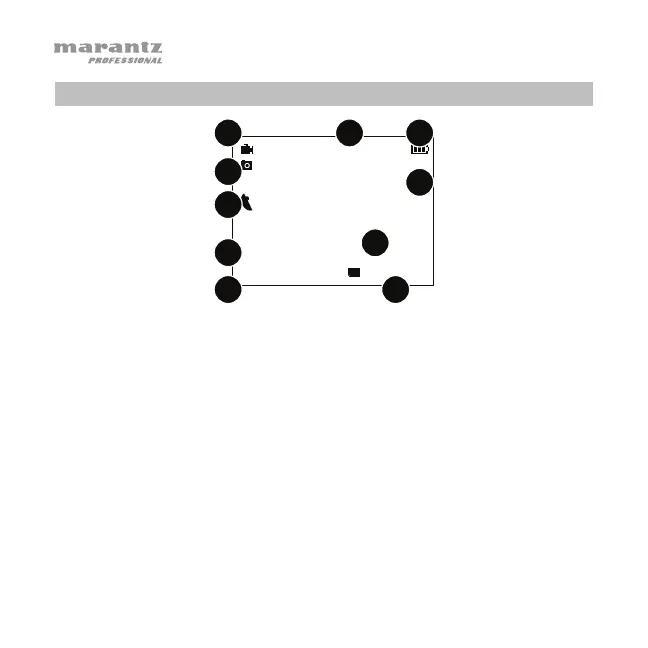
1. Video Status/Resolution: This icon will be gray while not recording,
flashing red while recording, or solid red if Pre-Record is on (see
Video > Pre-Record to learn more about this).
During normal operation, this icon will be a camera. While in CarDV
Mode, the icon will be a car, indicating that PMD-901V is operating as a
dashboard camera. See Video > CarDV Mode to learn more about this.
The current resolution will appear next to the icon:
2304 x 1296 (at 30 fps, 16:9)
1920 x 1080 (at 30 fps, 16:9)
1440 x 1080 (at 30 fps, 16:9)
1280 x 720 (at 30 fps, 16:9)
1280 x 720 (at 60 fps, 16:9)
848 x 480 (at 30 fps, 16:9)
848 x 480 (at 60 fps, 16:9)
720 x 480 (at 30 fps; 4:3)


 To Next Page