.
Menu operations
1
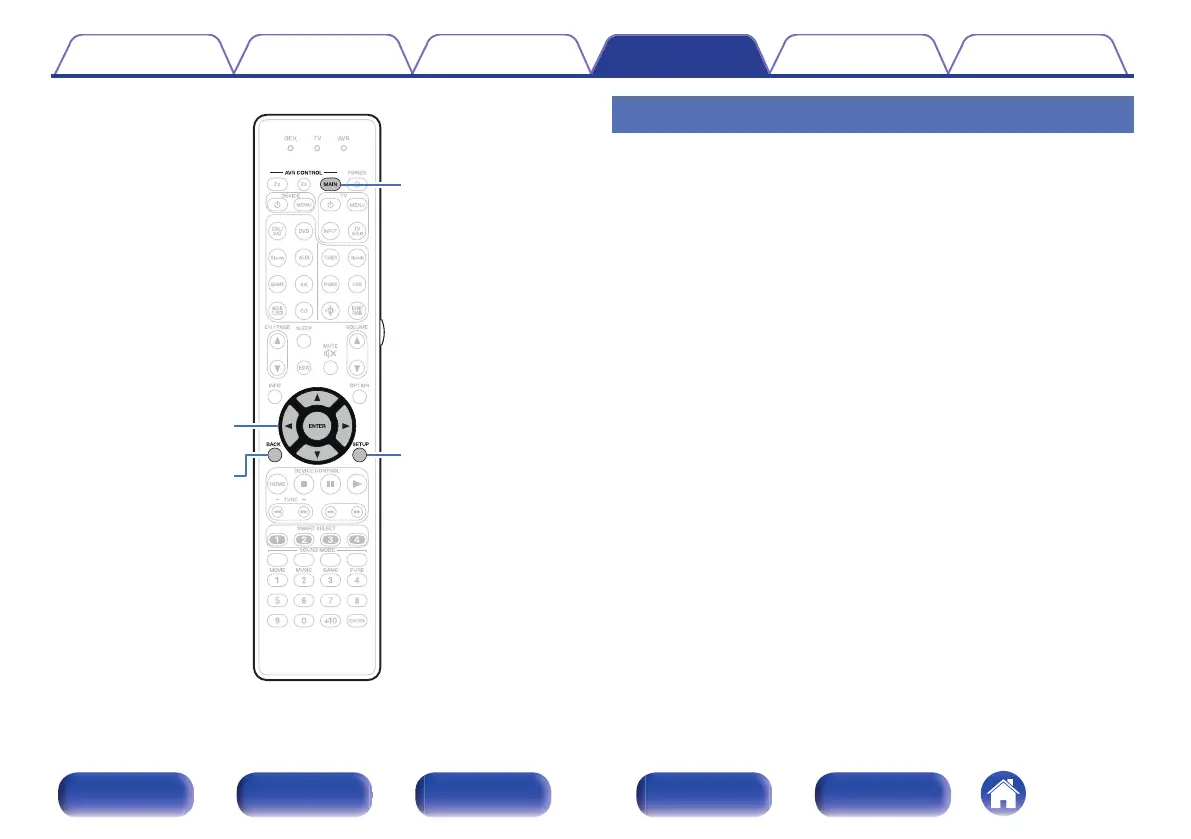
Press MAIN on the remote control unit to set the
operating zone to the MAIN ZONE.
The MAIN button lights.
2
Press SETUP.
The menu is displayed on the TV screen.
3
Use ui p to select the menu to be set or operated,
then press ENTER.
4
Use o p to change to desired setting.
5
Press ENTER to enter the setting.
0
To return to the previous item, press BACK.
0
Exiting the menu, press SETUP while the menu is displayed. The
menu display disappears.
Contents
Connections Playback Settings Tips Appendix
176
Front panel Display Rear panel Remote Index



 To Next Page