EasyManua.ls Logo

Marantz SC-7S2 - Service Manual

Marantz SC-7S2
81 pages
Print Icon
To Next Page IconTo Next Page
Loading...
SC-7S2
Please use this service manual with referring to the user guide ( D.F.U. ) without fail.
Service
Manual
SC-7S2
SC-7S2 /
F N/K1G/N1G/U1G
Part no. 90M340J855010
First Issue 2006.09
MZ
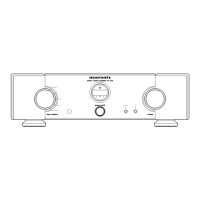
Stereo Control Amplifi er
TABLE OF CONTENTS
SECTION PAGE
1. TECHNICAL SPECIFICATIONS ........................................................................................... 1
2. CAUTION .............................................................................................................................. 1
3. SERVICE MODE .................................................................................................................. 2
4. UPDATE FIRMWARE ........................................................................................................... 4
[A] SOFTWARE (fdtv306r00.exe) DOWNLOADS AND INSTALLS PROCEDURE ............. 4
[B] WRITING AND UPDATE SOFTWARE ..........................................................................31
5. BLOCK DIAGRAM ..............................................................................................................42
6. WIRING DIAGRAM .............................................................................................................43
7. SCHEMATIC DIAGRAM .................................................................................................... 45
8. PARTS LOCATION .............................................................................................................53
9. EXPLODED VIEW AND PARTS LIST ................................................................................ 69
10. IC DATA ............................................................................................................................... 73
11. ELECTRICAL PARTS LIST ................................................................................................. 79
12. ABOUT REPLACE THE MICROPROCESSOR WITH A NEW ONE .................................. 93
BALANCED
CD
LINE 1
DISPLAY
ATT
LINE 2
RECORDER
A
SYNC B
input sel e c t o r
power on/of f
stere o
contr o l a m p l i f i e r s c
-
7s2
volum e

Other manuals for Marantz SC-7S2

Questions and Answers

  • K
    Kevin JensenAug 2, 2025
    Why is there no sound coming from my Marantz SC-7S2 speakers?
    • G
      gadamsAug 2, 2025
      Several factors could be the reason for the lack of sound from your speakers. Please check the following: * Ensure the correct input source is selected using the INPUT SELECTOR on the front panel. * Verify the ATTENUATOR feature is not set to '-'. * Confirm the SYNC indicator on the front panel is lit, the ID No. is correctly set, and the remote cable is properly connected. * Check that all connection cables between the unit and the player or power amplifier are correctly connected. * Ensure the power amplifier or input source is properly set. * Verify the speaker cables are correctly connected between the power amplifier and the speaker system. * Confirm you are using the player correctly.
  • J
    justin17Aug 15, 2025
    What to do if my Marantz SC-7S2 shows error code E11?
    • S
      Sean FrostAug 15, 2025
      Error code E11 indicates a communication problem between ID No. 1 (master) and ID Nos. 2 ~ 6 (slaves). Make sure that power to ID No. 1 is ON. Also, check the IN/OUT connections of the remote cable and properly connect them if needed.

Summary

Technical Specifications

Audio Characteristics

Details sound performance parameters like rated output, THD, frequency response, etc.

DIMENSIONS

Provides physical dimensions and a diagram of the unit.

Power Supply

Lists power requirements (voltage, frequency) and consumption for different models.

General

Details general specifications like maximum dimensions and weight.

CAUTION

Safety and Handling Notes

Safety notes regarding handling screws, wires, and moving the unit during disassembly.

SERVICE MODE

Error Messages

UPDATE FIRMWARE

Firmware Download Procedure

Step-by-step guide to download the firmware update software from the manufacturer's website.

[B] WRITING AND UPDATE SOFTWARE

Necessary Equipment for Software Update

Lists the required hardware and software for updating the microprocessor's internal software.

BLOCK DIAGRAM

WIRING DIAGRAM

SCHEMATIC DIAGRAM

PARTS LOCATION

EXPLODED VIEW AND PARTS LIST

Exploded View and Component List

Visual breakdown of the unit and a comprehensive list of all parts with identifiers.

MICROPROCESSOR AND IC DATA

Microprocessor and IC Pin Assignments

Detailed pin configurations and functions for the main microprocessor and integrated circuits.

ELECTRICAL PARTS LIST

Component Specifications and Safety

Detailed list of electrical components, their specifications, and important safety notes.

ABOUT REPLACE THE MICROPROCESSOR WITH A NEW ONE

Microprocessor Replacement Procedure

Guidelines for replacing the microprocessor or flash ROM, including software writing procedures.

Marantz SC-7S2 Specifications

General IconGeneral
BrandMarantz
ModelSC-7S2
CategoryAmplifier
LanguageEnglish

Related product manuals