0
When performing Audyssey
®
Setup for the first time, the measurement data
is automatically saved to “Preset 1” of “Speaker Preset”.
0
If Audyssey
®
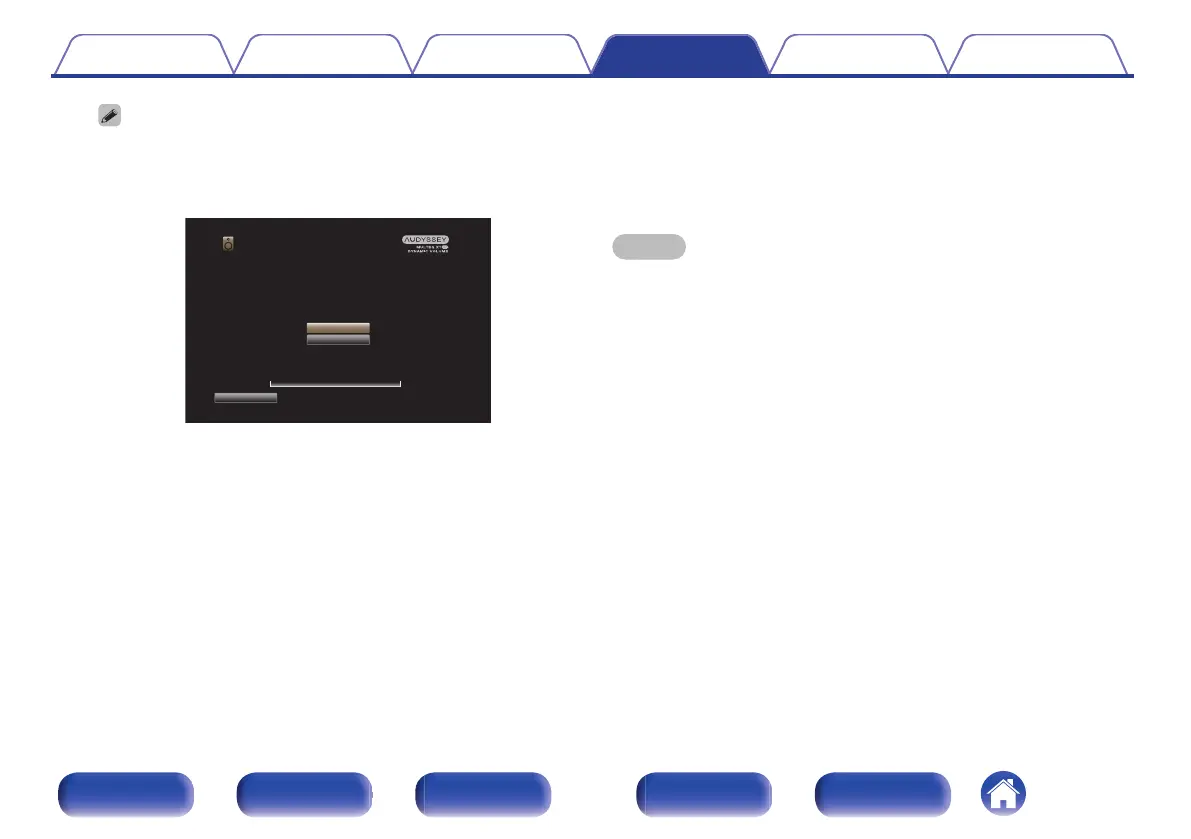
Setup has already been performed, the following “Speaker
Preset” selection screen is displayed.
.
Audyssey Setup
Select which Preset to use. Preset 1 is already used, selecting
Preset 1 now will overwrite the previously stored setting.
Preset 2
Preset 1
Analyzing room data
0%
Back
0
See “Speaker Preset” for detailed information on the Speaker Preset
function. (v p. 244)
13
Select “Details” and press ENTER to verify the
measurement results.
0
Subwoofers may measure a greater reported distance than the
actual distance due to added electrical delay common in
subwoofers.
NOTE
0
Do not enable new speakers in speaker configuration menu after Audyssey
®
Setup. If it is changed, run Audyssey
®
Setup again in order to configure the
optimum equalizer settings.
Contents
Connections Playback Settings Tips Appendix
220
Front panel Display Rear panel Remote Index



 To Next Page