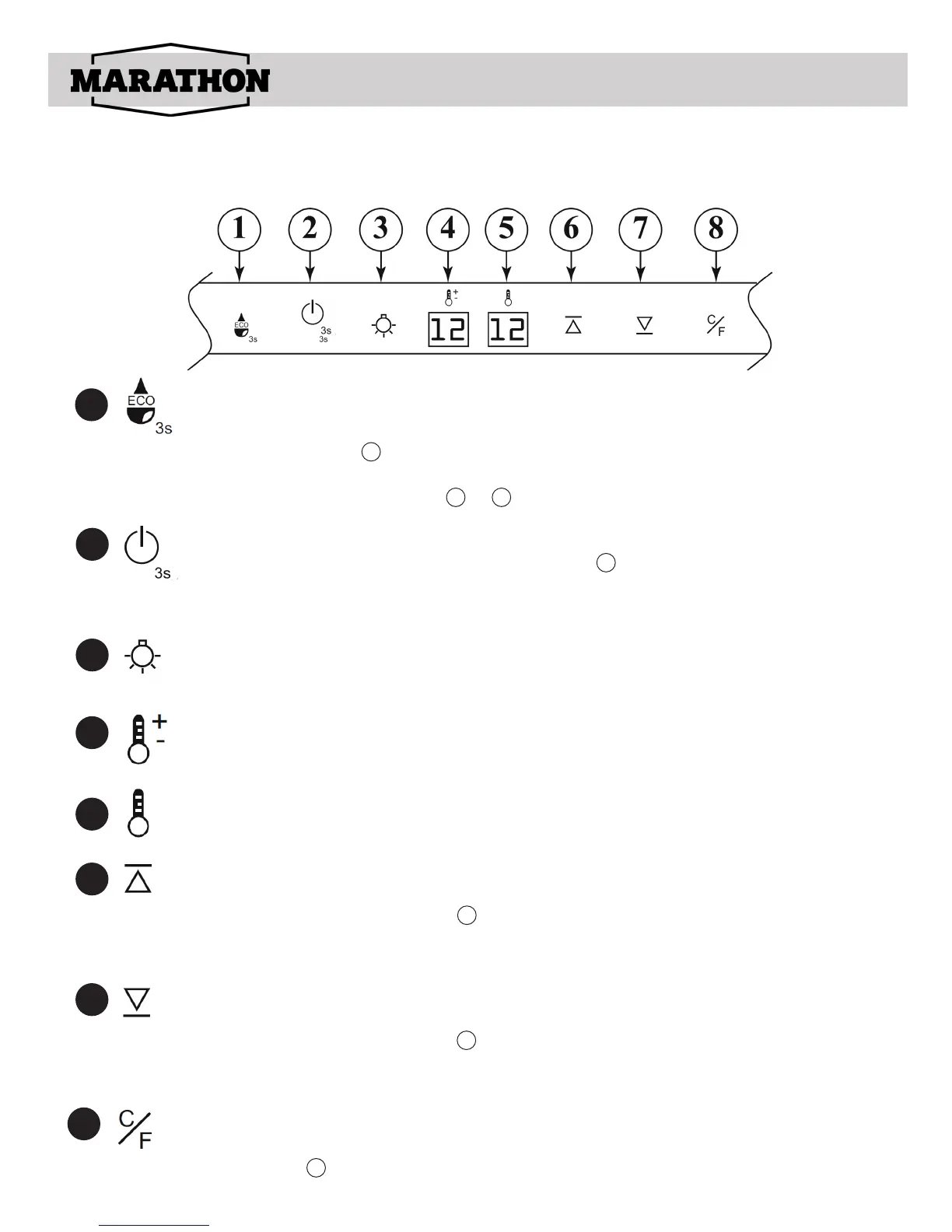
MBWC24 Control
Control description
1
2
3
Energy Saving Mode
Press and hold the button for 3 seconds and the digital countdown will start
on display screen starting…3, 2, 1, then automatically adjusts the tempera-
ture setting to a preset temperature. To exit the energy saving mode simply
press the Temp +/- button or to exit and set your desired temperature.
ON/OFF the power button
Press the button for 3 seconds to power off digital countdown displays 3,
2, 1. Remark: All other functions will turn off except the light switch when the
power turns off. Press again (without delay), the power turns on.
4
6
7
5
Interior light
Press the Interior light button to turn ON or OFF the interior LED light.
4
Temperature Display setting
Displays your desired or energy saving temperature setting.
5
Temperature Display
Displays the current temperature.
6
Temperature Adjustment Up
Press once and each time afterwards the inside temperature will increase by
1°C (as displayed in window ). To set, simply stop when you have reached
your desired temperature setting. If pressed several times, the
temperature setting will reach its highest setting (10°C).
4
7
Temperature Adjustment down
Press once and each time afterwards the inside temperature will decrease by
1°C (as displayed in window ). To set, simply stop when you have reached
your desired temperature setting. If pressed several times, the temperature
setting will reach its highest setting (2°C).
4
8
°C/°F Temperature Conversion
To change the temperature between °C/°F, press and hold the Temperature
Adjustment for 3 seconds.
13
8


 To Next Page