EasyManua.ls Logo

Marconi Instruments 2955 - Page 57

Marconi Instruments 2955
84 pages
Print Icon
To Next Page IconTo Next Page
To Previous Page IconTo Previous Page
Loading...
OPERATION
(21)
Press
SEND
TONE
and
then
return
to TRAN'SMTTTER
TEST.
2T is shown
in
reverse
video
on
the
display
and a 1 kHz tone in addition
to
the
variable
frequency
output
is
connected
to the
AF
GEN
OUTPUT socket
(Jj).
The
level
is
that
set
nr«»vmn«;iv
for the
(22)
To
return
to
single
tone
operation,
press
TONES
(T)
and
then the
key which
is
arrowed
by
TWO
TONES,
Press
the
key
which
is
arrowed
bv
STOP
TONE
and
then return
to
TRANSMTITER
TEST.
Receiver
test
To
generate
a
programmed
calling
tone sequence,
proceed
as follows:-
(1)
Select
RX
RECEIVER
TEST Is
written
on
the screen.
(2)
Connect
the receiver
input
to either the
BNC socket
(T)
or
the
N
socket
(3)
Press
SELECT
(T£)
until the
LED
lights above the
selected output
socket.
(4)
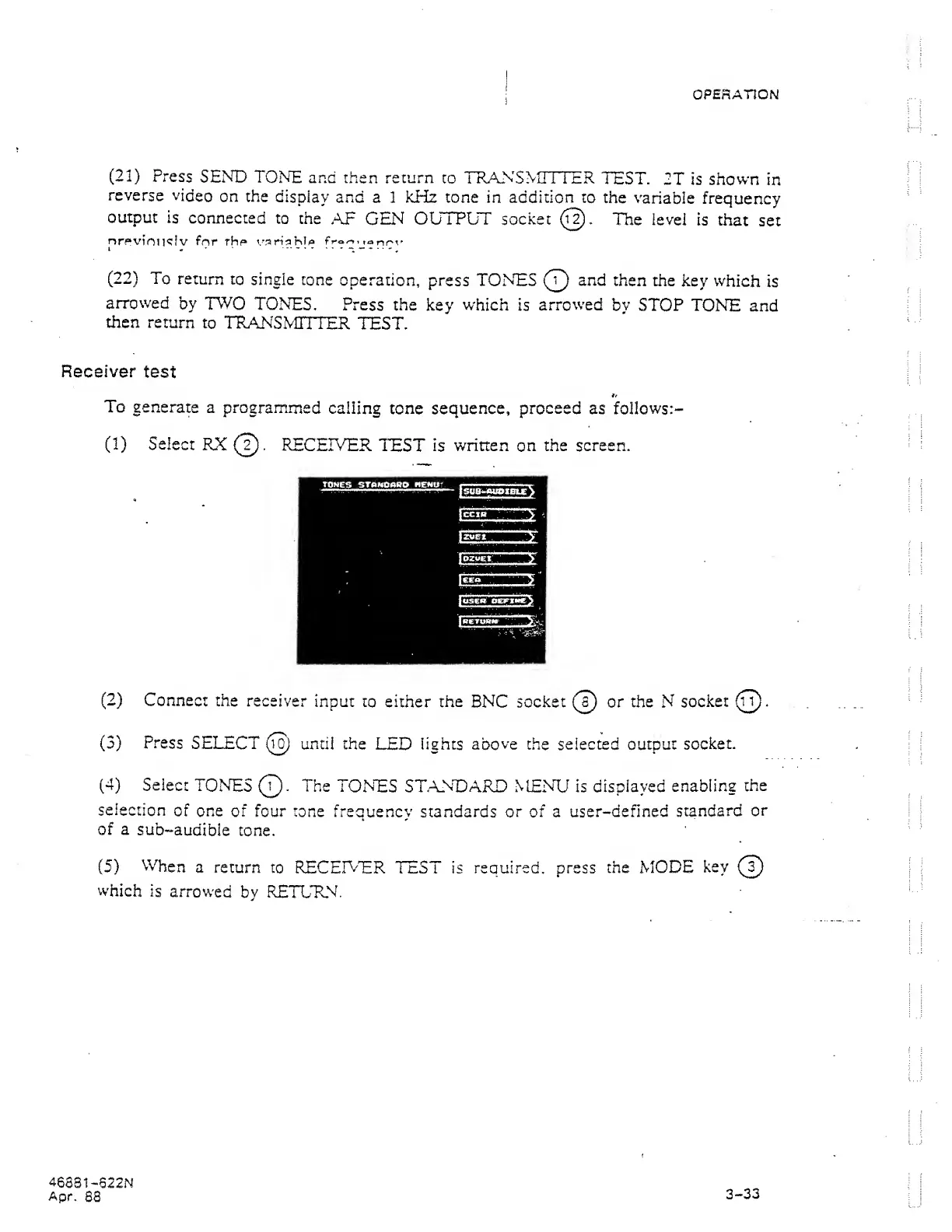
Select
TONES
©.
The
TONES
STANDARD MENU is displayed
enabling
the
selection
of one
of four tone
frequency standards or of
a
user-defined
standard
or
of
a
sub-audible
tone.
(5)
When
a return
to RECEIVER
TEST is required, press
the MODE
key
which
is
arrowed
by
RETURN.
46381
-622N
Apr.
88
3-33