EasyManua.ls Logo

Marconi Instruments 2955 - Page 59

Marconi Instruments 2955
84 pages
Print Icon
To Next Page IconTo Next Page
To Previous Page IconTo Previous Page
Loading...
OPERATION
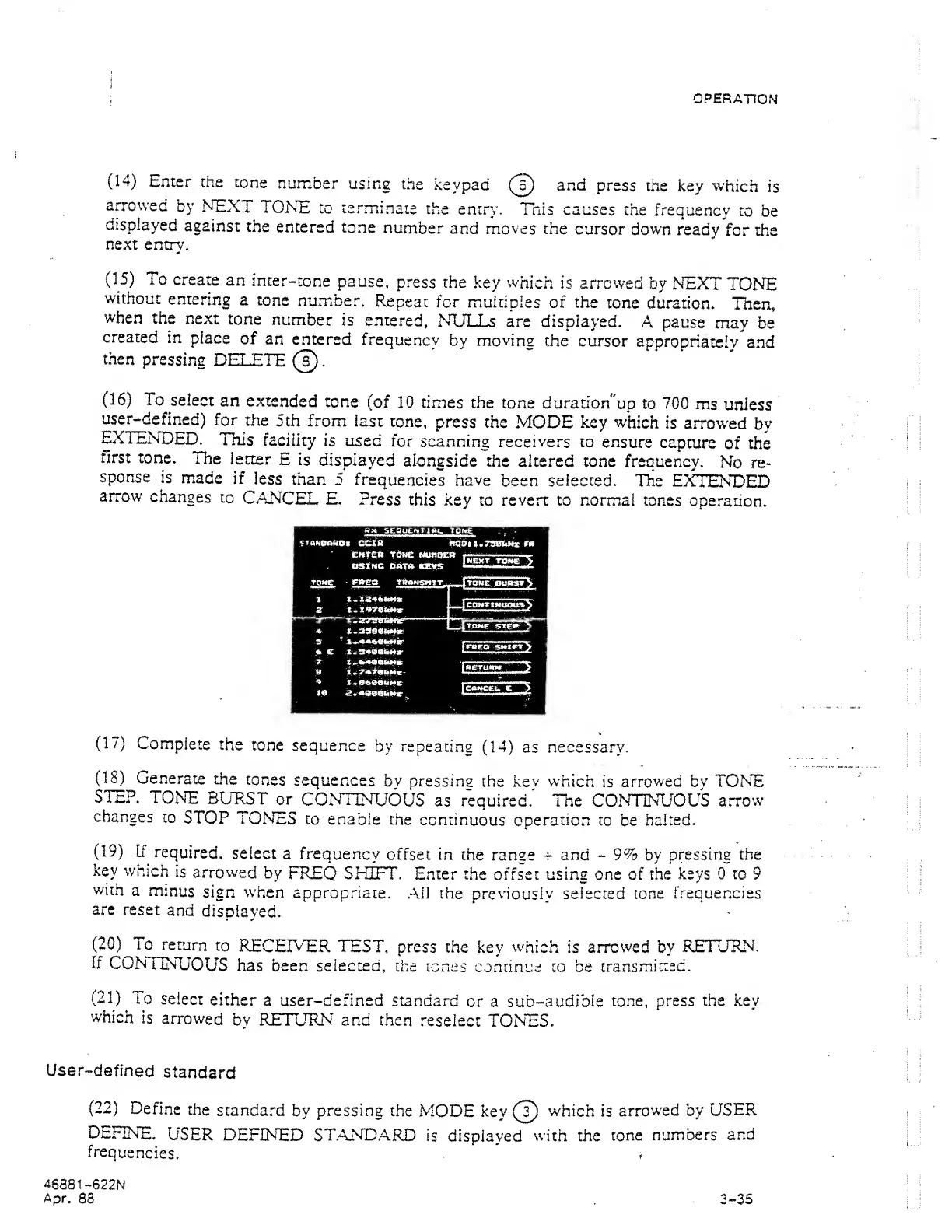
(14)
Enter
the
tone
number
using
the
keypad
(J)
and
press
the key
which
is
aiTOwed
by NEXT
TONE
to terminate
the entry.
Tnis causes
the
frequency
to
be
displayed
against
the
entered
tone
number
and moves the
cursor
down
ready
for the
next
entry,
(15)
To
create
an
inter-tone
pause,
press
the
key
which
is arrowed
by NEXT
TONE
without
entering
a
tone
number.
Repeat
for
multiples
of the
tone duration.
Then,
when
the
next
tone
number
is
entered,
NTJLLs
are displayed.
A pause
may
be
created
in
place
of
an entered
frequency
bv
movina
the
cursor
appropriately
and
then
pressing
DELETE
0.
(16)
To
select
an
extended
tone
(of
10 times the
tone duration
'up to 700
ms
unless
user-defined)
for
the
5th from
last
tone,
press
the
MODE
key which
is
arrowed
by
EXTENDED.
Tnis
facility
is used
for
scanning receivers
to ensure
capture
of the
first
tone.
The
letter
E
is
displayed
alongside the
altered tone
frequency.
No
re-
sponse
is
made
if
less
than
5
frequencies have
been
selected.
The
EXTENDED
arrow
changes
to
CANCEL
E,
Press
this
key to
revert
to normal tones
operation.
(17)
Complete
the
tone
sequence
by
repeating
(14)
as
necessary.
(18)
Generate
the
tones
sequences
by pressing
the key
which
is
arrowed by TONE
STEP,
TONE
BUKST
or
CONTINUOUS
as
required. The
CONTINUOUS
arrow
changes
to
STOP
TONES
to enable
the
continuous operation
to be
halted,
(19)
[f
required,
select
a frequency
offset in
the range
^ and
-
9% by
pressing the
key
which
is
arrowed
by
FREQ
SHIFT.
Enter the
offset using one of
the
keys
0
to
9
with
a
minus
sign when
appropriate.
All
the
previously selected tone
frequencies
are
reset
and
displayed.
(20)
To
return
to
RECEIVER
TEST,
press
the key
which
is
arrowed
by
RETURN.
If
CONTINUOUS
has
been selected,
the tones
continue to be
transmitted.
(21)
To
select
either
a user-defined
standard
or a
sub-audible
tone, press
the key
which
is
arrowed
by RETURN and then
reselect
TONES.
User-defined
standard
(22)
Define
the
standard
by
pressing
the
MODE
key (T)
which
is
arrowed by
USER
DEFINE.
USER
DEFINED STANDARD
is
displayed
with the
tone
numbers
and
frequencies.
46881
-522N
Apr.
83 3-35