Need help?
Do you have a question about the MARCUM M3 and is the answer not in the manual?
Explains the M3's display colors and how they differentiate objects like fish and weeds.
Provides instructions and safety recommendations for charging the M3's battery.
Details how to connect the battery and prepare the M3 for use in ice fishing.
Guides on positioning the transducer in an ice hole for optimal readings.
Instructions on how to obtain sonar readings directly through the ice surface.
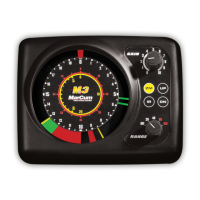
Explains the unit's controls including Gain, Range, IR, and ZM functions.
Details on reducing signal clutter and using the zoom feature for precision.
Explains how fish targets are displayed based on size and location in the sonar cone.
Guides on tuning the unit to display lures, bait, or small objects.
Describes the undisplayed area that can occur on sharp drop-offs.
Lists technical specifications for the MarCum M3 sonar unit.
Details the two-year warranty coverage and how to make a claim.
 General
| Power Supply | 12V DC |
|---|---|
| Display Size | 8 inches |
| Transducer | Dual Beam |
| Battery | 12V |
| Sonar Coverage | 8° or 20° |
| Frequency | 200 kHz |

 To Next Page