
 Need help?
Do you have a question about the MARCUM PURSUIT HD and is the answer not in the manual?
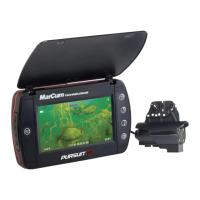
Details the display, camera, power, and additional features of the Pursuit HD system.
Details how to take pictures and record video using the dedicated button.
Covers adjusting brightness, on-screen displays (OSD), and units.
Details on operating and adjusting intensity for LED and Infrared lights.
Details on recording video and saving to a micro-SD card.
Steps to format the micro-SD card for media recording.
How to start, stop, and identify video recording status.
Procedure for capturing screenshots of the video feed.
Guide to navigating and managing recorded videos and photos.
 General
| Brand | MARCUM |
|---|---|
| Model | PURSUIT HD |
| Category | Digital Camera |
| Language | English |

 To Next Page