9
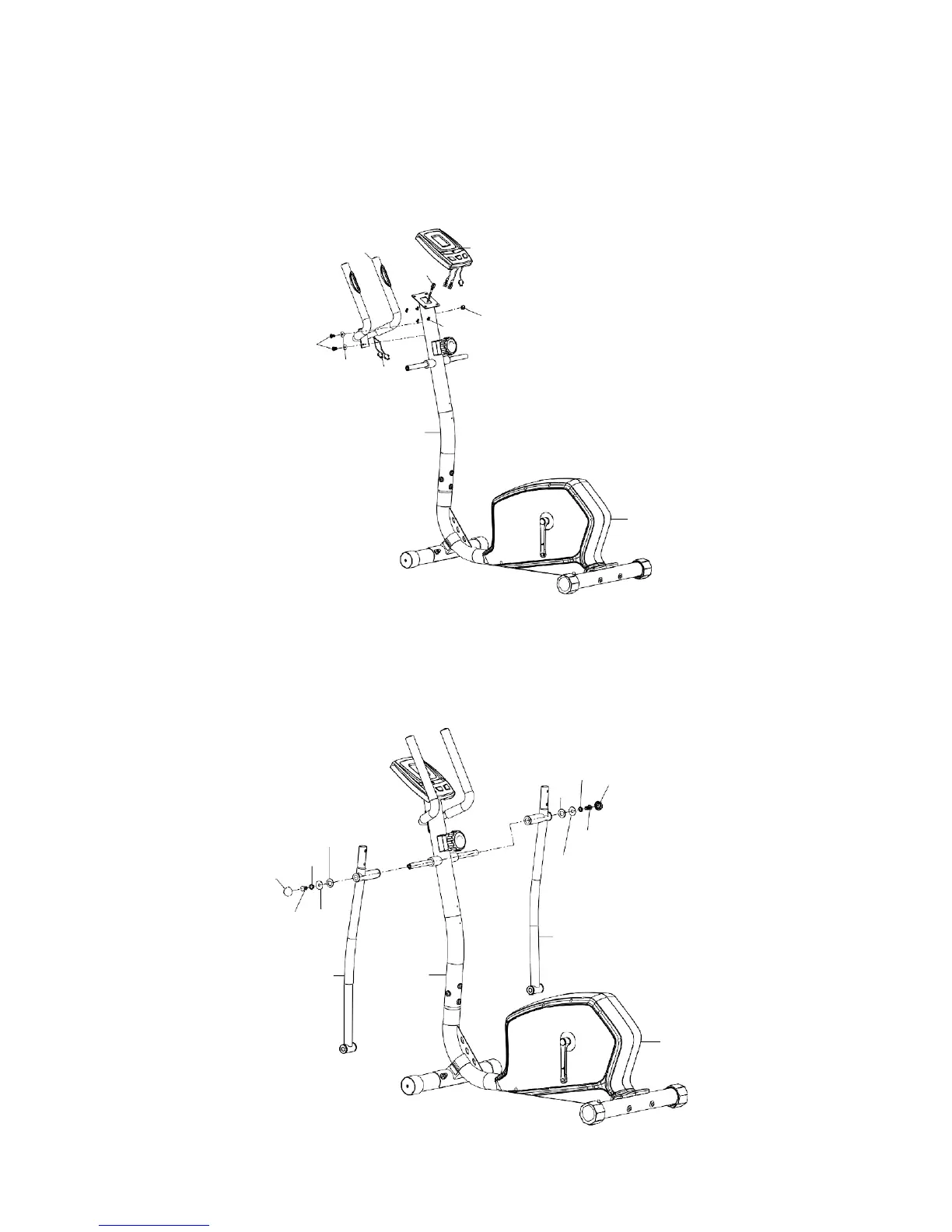
Step3
Attach fixed handlebar (11) to front post (9), tighten with two sets of curve washer (5) and
allen bolt (47).
Connect hand pulse sensor wire (46) through end cap for wire (60) with computer (10), and
connect middle sensor wire (51) with computer (10), then attach computer (10) to bracket
on front post (9), tighten with four screws (20).
11
10
51
20
60
47
5
46
9
1
STEP 4
Attach bottom handlebar L (52) to front post (9). Secure using one D type washer (29), flat
washer (26), spring washer (27), hex head screw (28). Repeat for bottom handlebar
R(53).
Attach two end cap (25) to the hex head screw (28).
27
25
29
29
28
25
27
26
28
26
53
52
9
1



 To Next Page