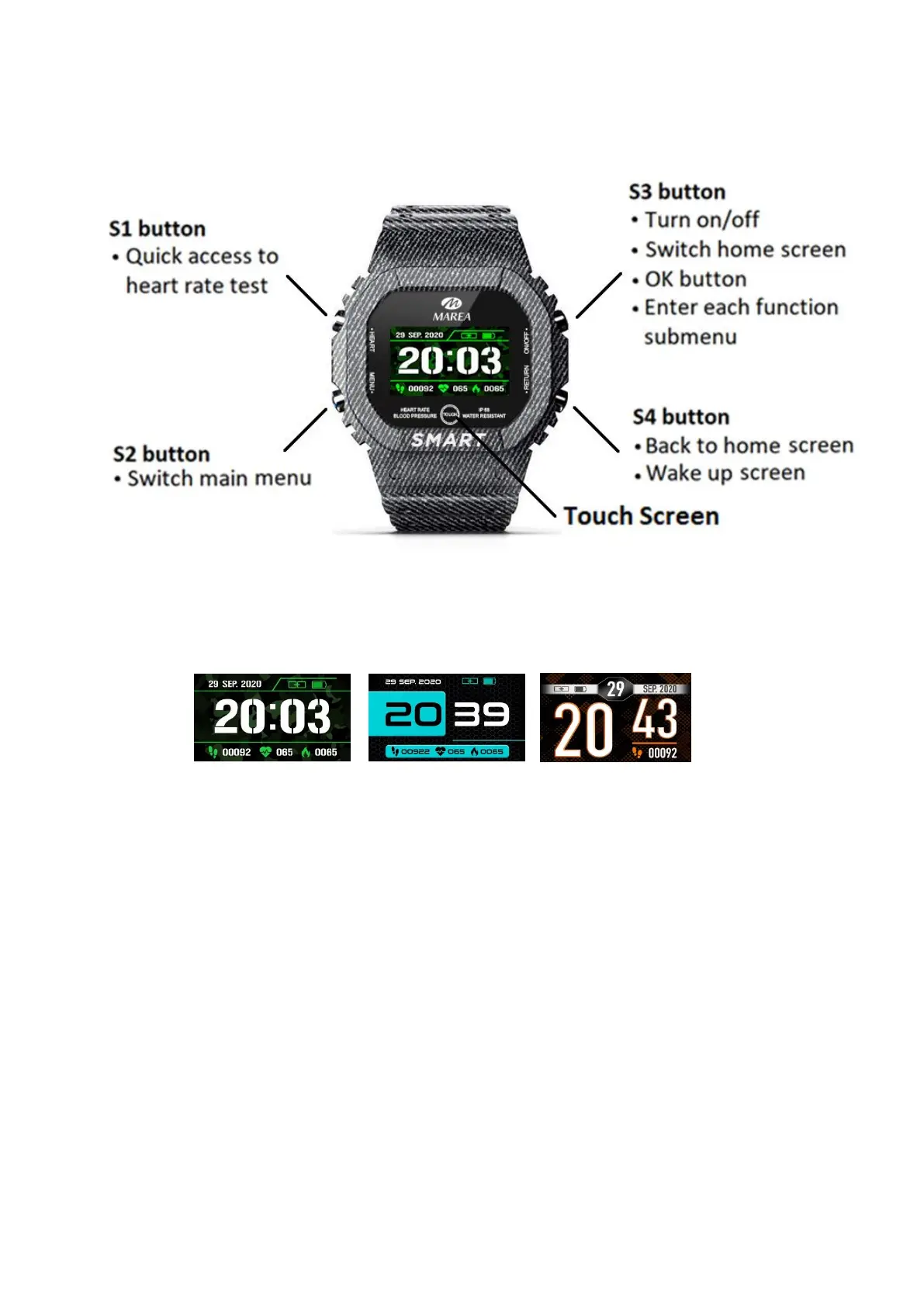
Smart watch operation
Home screen selection
- Press S3 or long press the screen to change the home screen.
There are 3 different styles to choose from:
Turn on/off
- Press and hold S3 to turn on/off the smartwatch.
- Short press S4 or press once the screen to activate the watch
when in standby mode.
Access main menu
- Press S2 or touch the screen to enter the main menu.
- Press S2 again or touch the screen to go from one function to
the next.



 To Next Page