EasyManua.ls Logo

Marine Audio MA112 - User Manual

Marine Audio MA112
12 pages
Print Icon
To Next Page IconTo Next Page
Loading...
Installation and Operation Manual
MA11
2
Question and Answer IconNeed help?

Do you have a question about the Marine Audio MA112 and is the answer not in the manual?

Summary

WARNING AND COMPLIANCE

Important Safety Instructions

Key safety guidelines for product use and installation to ensure user satisfaction and safety.

Compliance with FCC Rules

Details the device's compliance with FCC Part 15 rules and conditions for operation.

FCC WARNING

Warns that unauthorized modifications may void the user's authority to operate the equipment.

INTRODUCTION

Product Features

Lists the key features of the MA112 unit, including display, waterproof rating, and connectivity.

Box Contents

Itemizes all components included in the MA112 package for user reference.

Hardware Kit Contents

Displays the physical hardware components provided for installation.

INSTALLATION GUIDE

Important Installation Notes

Crucial preparatory steps and safety advice before beginning the installation process.

Mounting the Radio

Step-by-step instructions and considerations for securely mounting the MA112 unit.

Auxiliary Input and Line Output

Explains how to connect external audio devices via RCA cables and output signals.

WIRING DIAGRAM

Wire Color and Description Mapping

Details wire colors and their corresponding functions for proper electrical connections.

BASIC OPERATION

Audio Settings Adjustment

Guide to accessing and adjusting audio parameters like Equalizer, Loudness, and Balance/Fade.

Power On;Off and Volume Control

Instructions for powering the unit on/off and managing audio volume levels.

Play;Pause;Mute and Mode Selection

How to control audio playback and switch between different input sources.

SYSTEM SETTINGS

Bluetooth Device Management

Pairing, viewing, locking, and deleting connected Bluetooth devices.

Illumination and Contrast Control

Adjusting display brightness for day/night modes and screen contrast levels.

Low Voltage Alert and Tuning Region

Setting up voltage alerts and selecting the radio's tuning frequency region.

System Information and Reset

Accessing software version details and restoring factory default settings.

TUNER OPERATION

Selecting Radio Bands and Tuning

Instructions for switching between AM/FM and manually tuning stations.

Preset Station Management

Saving, deleting, and recalling favorite radio stations for quick access.

Auto Presets and Scan Presets

Automatically saving strong stations and scanning through stored presets.

BLUETOOTH OPERATION

About Bluetooth Technology

Overview of Bluetooth technology, its range, and speed for wireless audio.

Bluetooth Menu and Settings

Navigating menus to access Bluetooth settings, pair devices, and manage connections.

Paired Device Management

Options to connect, disconnect, lock/unlock, and delete previously paired devices.

BLUETOOTH PAIRING AND AUDIO

Pairing a Bluetooth Device

Step-by-step guide to connect a mobile device for Bluetooth audio playback.

Bluetooth Audio Playback and Control

Managing audio playback, selecting tracks, pausing, and resuming audio streams.

Answering Calls via Bluetooth

How phone calls affect Bluetooth audio playback and resuming after a call.

APP CONTROL AND MAINTENANCE

Marine Audio;ASA Audio App Control

Information on using mobile apps for remote control of the stereo system.

Care and Maintenance Guidelines

Recommendations for cleaning, handling, and storing the unit to prevent damage.

Ignition Noise and Interference

Understanding and mitigating radio noise from ignition systems and environmental factors.

TROUBLESHOOTING AND SPECIFICATIONS

Power, Reception, and Sound Issues

Solutions for common problems like no power, poor radio reception, or no sound output.

Tuning and Bluetooth Connectivity Problems

Troubleshooting steps for radio tuning failures and Bluetooth connection issues.

Technical Specifications Summary

Detailed technical data including tuner ranges, output power, voltage, and dimensions.

Overview

The MA112 is a marine audio receiver designed for installation in vessels, offering a range of features for audio playback and control in a marine environment. The unit is built to be durable and resistant to the elements, making it suitable for outdoor and marine applications.

Function Description

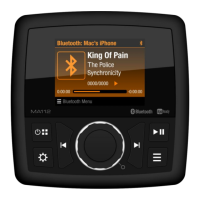
The MA112 serves as a central audio hub for a vessel, providing access to AM/FM radio, Bluetooth audio streaming, and auxiliary input. It features a built-in amplifier to power four channels of audio output, allowing for connection to external speakers. The unit also includes line-level analog outputs for connecting to an external amplifier, offering flexibility for more powerful audio systems.

Usage Features

  • Audio Sources: The MA112 supports multiple audio sources, including AM/FM radio with 36 presets (18 AM, 18 FM), Bluetooth for wireless audio streaming (A2DP and AVRCP profiles), and a rear auxiliary audio input (RCA) for connecting portable audio devices.
  • Display and Controls: The unit features a dimmable LCD backlit control with a TFT display, providing clear visibility in various lighting conditions. Navigation and control are primarily managed through a VOL/ENTER knob and several dedicated buttons.
  • Power On/Off and Volume Control: The unit can be powered on or off by pressing the power button. Volume is adjusted by rotating the VOL/ENTER knob clockwise to increase and counter-clockwise to decrease.
  • Play/Pause/Mute: A dedicated button allows users to silence audio output in Tuner, AUX, or Bluetooth mode, and to restore the previous volume level.
  • Mode Selection: The mode button provides access to a source menu, allowing users to select between AM, FM, Bluetooth, and AUX input modes.
  • Audio Settings: The MA112 offers comprehensive audio adjustments, including:
    • Equalizer: Users can adjust Treble and Bass levels from -7 to +7.
    • Loudness: This feature can be toggled on/off to boost bass and treble ranges at low volumes.
    • Balance & Fade: Balance control allows adjustment of audio output between left and right channels (L7 to R7), while Fade control adjusts output between front and rear channels (R7 to F7).
  • System Settings: A dedicated button provides access to system settings, which include:
    • Bluetooth Management: Users can pair new devices, view a list of previously paired mobile devices, and manage connections (connect/disconnect, lock/unlock, delete). The unit can store up to 5 Bluetooth devices in a FIFO order, with the option to lock devices to prevent them from being bumped from the list.
    • Illumination Control: The display and button brightness can be adjusted for Day, Night, or Auto mode. In Auto mode, illumination switches automatically based on a +12VDC trigger lead.
    • Contrast: Display contrast can be adjusted.
    • Low Voltage Alert: This feature monitors input voltage on the ACC line. If the battery voltage drops below 10.5V (+/-0.3V), an audible beep tone will sound, and "LOW VOLTAGE" will flash on the display.
    • Tuning Region: Users can select the tuner frequency step for North America or Europe.
    • System Info: Displays software version information.
    • System Reset: Allows users to restore factory default settings.
  • Tuner Operation:
    • Band Selection: Users can select AM or FM radio mode.
    • Manual Tuning: Stations can be tuned manually step-by-step.
    • Auto Seek Tuning: The unit can automatically seek the next or previous strong station.
    • Preset Stations: Users can save up to 18 AM and 18 FM stations as presets, recall them, and delete them.
    • AutoSave Presets: This function automatically scans for and stores the 18 strongest stations in the current band.
    • Scan Presets: Scans stored stations in the current band, playing each for ten seconds.
  • Bluetooth Audio Playback (A2DP):
    • Track Selection: Users can play the previous or next track.
    • Pausing Playback: Audio playback can be paused and resumed. Playback automatically pauses if the mode is changed.
    • Automatic Reconnection: If a Bluetooth device is disconnected due to power loss or being out of range, the unit will automatically search for and reconnect to the matching mobile device when power is restored.
  • Answering Calls: When a call is answered on a connected phone, Bluetooth audio playback will pause.
  • App Ready: The MA112 is compatible with the ASA Audio app (available Fall 2020), which transforms a mobile device into a remote control for the stereo system. This app allows control over power on/off, mode selection, volume, play/pause/mute, AM/FM radio seek, Bluetooth streaming audio, and audio menu controls (Bass, Treble, Balance, Fader, Loudness on/off).

Maintenance Features

  • Durability: The MA112 is designed to be waterproof (IPx6 rated) and UV and corrosion resistant, ensuring longevity in marine environments.
  • Cleaning: The product should be cleaned only with a dry cloth. Harsh chemicals, cleaning solvents, or strong detergents should not be used.
  • Environmental Considerations: The unit should be kept away from dust and dirt to prevent premature wear. It should be handled gently to avoid damage to circuit boards and cases. The product should be used and stored only in normal temperature environments, as high temperatures can shorten the life of electronic devices, damage batteries, and distort or melt plastic parts.
  • Noise Suppression: The manual provides guidance on addressing ignition system noise, suggesting the use of radio suppression type high voltage ignition wire and suppressor resistors. Additional noise suppressors can also be used.
  • Antenna Considerations: For optimal radio reception, the condition of the antenna coax should be checked to ensure it is not pinched or shorted. The antenna mounting location, type, environmental conditions, and physical proximity to the transmitting tower all influence reception quality.

Marine Audio MA112 Specifications

General IconGeneral
BluetoothYes
Water ResistanceIPX6
TunerAM/FM
USB PortYes
Aux InputYes
WeatherbandYes
Preamp Outputs2-Channel
WaterproofYes
Power Output50W x 4
RMS Power20W x 4
Peak Power50W x 4