
 Need help?
Do you have a question about the Marine Tech QM3814 and is the answer not in the manual?
Important safety considerations for installation and operation to prevent damage or malfunction.
Steps for securely fitting the head unit into the dashboard sleeve.
Procedure for safely detaching the head unit from its installed position.
Guidance on inserting and removing SD cards into the designated slot.
Explanation of the electrical connections for power, antenna, and speakers.
Diagrams showing speaker connections for front and rear left/right channels.
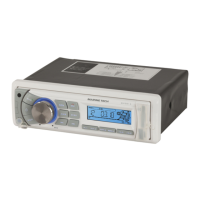
Detailed description of each button and its function on the marine stereo unit.
Instructions for turning the unit on/off and adjusting volume, bass, treble, balance, and fader.
Managing display modes, clock, station search, mono/stereo, area setup, and input modes.
How to reset the unit and use the mute function for audio output.
How to select radio bands and tune into stations manually or automatically.
Saving favorite stations using auto-memory, program scanning, and storing presets.
Using the scan function to find and preview radio stations.
Using Play/Pause, INT, RPT, and RDM functions for MP3 playback.
Navigating between tracks and using fast forward/rewind functions on media.
Identification and function of buttons on the remote control.
Step-by-step instructions for replacing the battery in the remote control.
Steps to pair your phone with the head unit and establish a Bluetooth connection.
Using the unit for calls and wireless music playback via Bluetooth.
How phone calls can interrupt Bluetooth audio and how to manage connections.
Power, load impedance, output power, dimensions, tone controls, and player performance.
Frequency coverage, IF, and sensitivity for FM and AM radio reception.
 General
| Brand | Marine Tech |
|---|---|
| Model | QM3814 |
| Category | Radio |
| Language | English |

 To Next Page