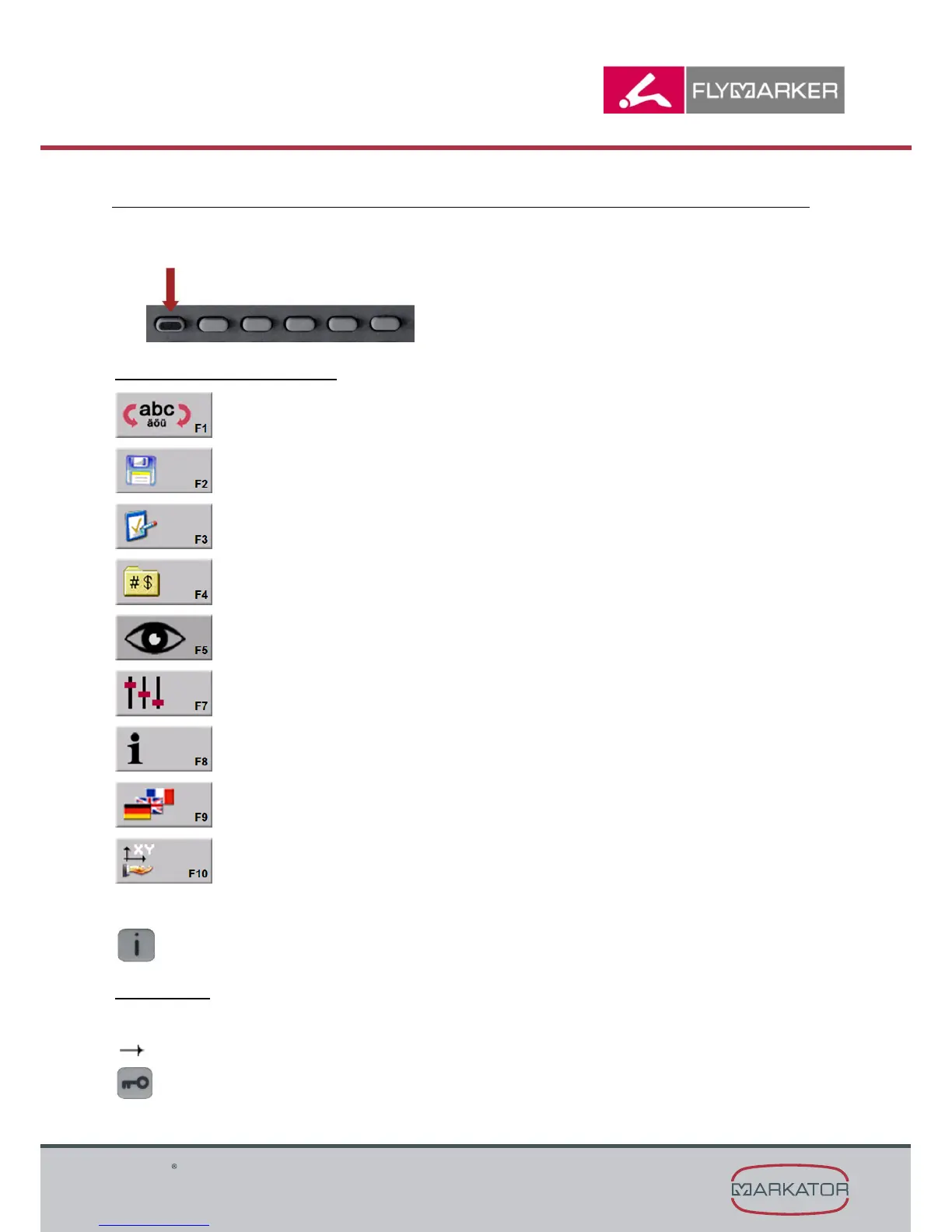
6. Function keys main menu
1. The main menu consists of two levels.
2. To change levels press the key shown below (arrow).
Description of function keys:
F1 = Shift key (standard characters ↔ special characters)
F2 = File manager
F3 = Parameter menu
F4 = Insert substitutes
F5 = Preview
F7 = Settings
F8 = Information
F9 = Language
F10 = Teach-in
When the i-key is pressed, the help window comes up (shows notes on the key functions).
Please note:
Using the user password, temporarily changes of the presetting can be done.
Permanent changes of the values can be done by using the master password only.
( Chapter „Entering passwords“ in the operating manual)



 To Next Page