Need help?
Do you have a question about the Markem Imaje 9040 IP65 and is the answer not in the manual?
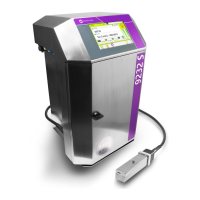
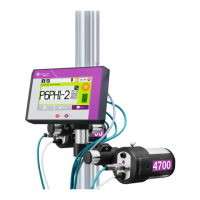
The main control panel and display unit of the printer.
The component responsible for applying ink to the product.
Details on the ink and additive tanks and their function.
Functions for creating, opening, and modifying messages.
Actions for selecting messages for production and initiating printing.
Icons for stopping, restarting, and transferring print jobs.
Access to printing parameters, fonts, and various system menus.
Overview of options available in the Production menu.
Functions for editing messages, including fonts and variables.
Settings and configurations for printer setup and initialization.
Options for editing symbols and managing their sizes.
 General
| Type | Continuous Inkjet Printer |
|---|---|
| Technology | Continuous Inkjet (CIJ) |
| Protection Rating | IP65 |
| Maximum Print Lines | 5 lines |
| Operating Temperature | 5°C to 45°C |
| Weight | Approximately 20 kg |
| Print Technology | Continuous Inkjet |
| Print Resolution | Up to 600 DPI |
| Maximum Print Width | 54 mm |
| Power Supply | 100-240 VAC, 50/60 Hz |
| Connectivity | Ethernet, USB, Serial |
| Supported Materials | Metal, Plastic, Glass, Cardboard |
| Ink Type | Solvent-based inks |
| Storage Temperature | -20°C to 60°C |


 To Next Page