7
Setting locomotive parameters with the Control Unit
1. Requirement: Setup as in diagram on page 14. Only the
locomotive to be changed can be on the track.
2. Press the “Stop” and “Go” at the same time until “99”
blinks in the display.
3. Press the “Stop” button.
4. Enter the locomotive address „80“.
5. Hold the speed control knob in the reverse direction
position constantly. Press the “Go” button while you do
this.
6. The headlight on the locomotive will blink. If no, repeat
starting at Step 2.
7. Enter the register number for the parameter to be
changed (=> List on page 16).
8. Activate the direction reversal.
9. Enter new value (=> List on page 16).
10. Activate the direction reversal.
11. End the procedure by pressing the “Stop” button. Now
press the “Go” button.
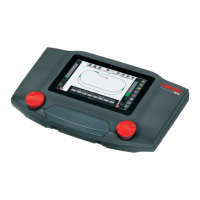
Setting locomotive parameters with the
Mobile Station
A entry must be selected from the database to change the
locomotive parameters, and this entry must be one that allow
changes to the parameters (example: 55742, 36850). Note the
following at all times:
• Only the locomotive to be changed may be receiving
power from the Mobile Station, when you are changing
parameters.
• Parameters that can be set: Address, acceleration
and braking delay, maximum speed, Locomotive Reset
(Resetting the locomotive back to its factory settings)
• The acceleration and braking delay are changed toge-
ther in the submenu “ACC”.
• After you have changed the address, the address in
the entry in the locomotive list must also be changed
to the new value, if this entry does not support external
programming of decoders.
Tip: The database in the Mobile Station can be updated. To
do this, simply connect the Mobile Station with an adapter
cable to an updated Central Station, and wait several
minutes. When a Mobile Station is being updated, it loses all
of the entries in the locomotive list!
Setting locomotive parameters with the Central Station
Please see the notes in the instructions for the
Central Station.


 To Next Page