10
•ProgrammableaddressesbymeansofCVs1-2,040 DCC
•CharacteristicscanbechangedbymeansofCVs
•Powersuppliedbymeansofthedigitalcurrentcircuit
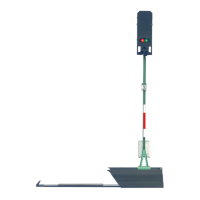
Signal Installation
Thesignalmustbeprogrammedbeforeactuallyinstallingit.
The following work steps may be done only when there is no
voltage present:
SettingtheaddressandthemodeofoperationwiththeDIPswitches:
• SettingthemodeofoperationwithDIPSwitch10
Switch 10 off = fx (MM) / mfx
Switch 10 on = DCC
• fx(MM)/DCCSettingtheaddresswithDIPswitches(See
table starting on Page 18)
Please note: Always do settings with the DIP switches when
thereisnovoltagepresent.Thesignaldoesnotrecognizethe
currentswitchsettingsuntilthevoltageisturnedon.
Programming with the CS 2
fx (MM)
TheCVprogrammingmustbedoneontheprogrammingtrack.
Only one signal may be connected to the programming track at
a time.
ThefollowingCVscanbechangedinfx(MM):CV40,45,48and50.
Duringtheprogrammingprocedure,thesignallightwillblink.
During programming with the Central Station, by contrast the
signalisswitched.Aftertheendoftheprogrammingprocedure,
thesignalissetat“Go”.
An fx dummy locomotive with the address of the signal must be
enteredbeforeprogrammingwiththeMobileStation2.Activate
thesignalonce.Afterthat,changethedesiredCVsettingsand
switchthesignalonemoretime.
The procedure for programming with the 6021 Control Unit can
befoundatwww.maerklin.de->Tools&Downloads->Tech-
nischeInformationen.
Please see the operating instructions for the control devices in
questionforprogrammingwithotherdevices.
DCC
CVprogrammingmustbedoneontheprogrammingtrack.Only
one signal may be connected to the programming track at a
time.
The signal will blink for monitoring purposes during the data
transfer.
Please see the operating instructions for the control devices in
questionforprogrammingwithotherdevices.
CV for fx (MM) and DCC
Withfx(MM)theaddresscanbesetonlywiththeDIPswitches.
Thevaluesinparenthesesarefactorydefaultsettings.
CV Meaning Values
1 Address 1 - 255 1-255 (1) only DCC
9 Addresses 256 - 2040 0-7 (0) only DCC
33 Numer of output
addresses
read only DCC


 To Next Page