ON
Turn On the Ignition
3 long chirps & 3 flashes of the parking lights will
confirm exit of the programming mode.
Note: Waiting 15 seconds after the last command will
also cause the system to automatically exit the
programming mode.
One Chirp Two Chirps Three Chirps Four Chirps
Button LED One Pulse LED Two Pulses LED Three Pulses LED Four Pulses
(Factory Default Setting)
Step 4
Step 3
Remote Feature Programming
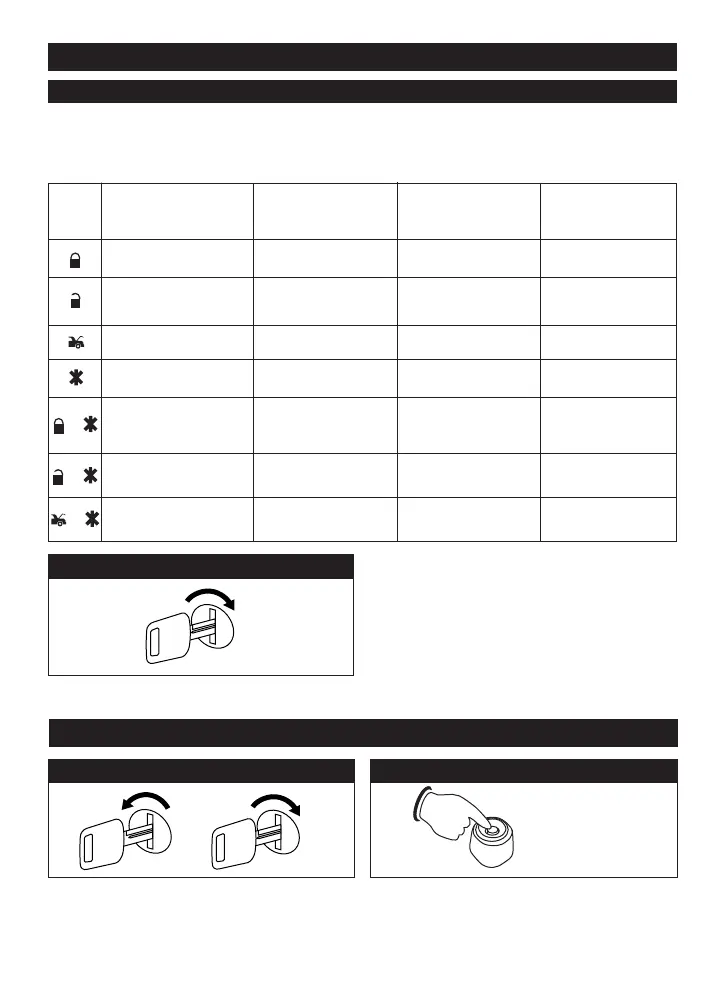
Use the transmitter buttons as illustrated to adjust the features required. Keep re-pressing the transmitter button
that relates to the feature you want to adjust until the correct amount of chirps/beeps is heard. Move on to the
next feature.
All Chirps Siren Only Horn Only All Chirps Off
Passive Arming without
Passive Door Locking
Passive Arming with
Passive Door Locking
Active Arming
Automatic Rearm On Automatic Rearm Off
Instant Door Ajar Warning
Door Ajar Error Chirp with 45
Second Check delay
3 Hours Time Start
2 Hours Time Start
Inactive Car-Jack Mode
Active Car-Jack Mode
Panic with Ignition Off Panic with Ignition On & Off
Panic with Ignition On & Off
Panic with No Time Limit
Without Panic Function
+
+
+
Passive Car
Jack Mode
17
Alarm Feature Programming (Part 1)
Alarm Feature Programming (Part 2)
Turn the ignition switch from the OFF position to the
ON position three (3) times leaving it in the OFF
position the third time.
OFF
ON
3X
3X + 1X (Hold)
Before 15 seconds has passed, push and release the
valet switch three (3) times then push the valet switch a
fourth time and hold it down until two (2) short
chirps/beeps + one (1) long chirp/beep is heard then
release it. You are now in Part 2 programming mode.
Step 1 Step 2
M11A-IM 3/8/05 3:43 PM Page 17


 To Next Page
 Loading...