EasyManua.ls Logo

Marley EM-JT002 - User Manual

Default Icon
12 pages
Print Icon
To Next Page IconTo Next Page
Loading...
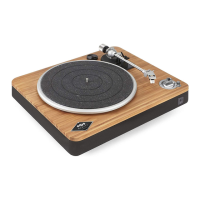
Stir It Up Wireless / Bluetooth® Turntable
Quick Start Guide Quick Start Guide Quick Start Guide Quick Start Guide
1
2 3 4 5
45
33
OFF
1. Spindle
2. Turntable
3.  Adaptor
4. Balance Weight
5. Anti-Skating Knob
6. Tone Arm Lift Level
English
Français 13
Español 
Deutsche 
Italiano 
7. Tone Arm Rest Holder
8. Tone Arm
9. Stylus
10. Needle Cover
11. Off// Knob
12. Power Adaptor With
Interchangeable Plugs
LEGEND
INDEX
4.
5.3.
6.
7.2.
1.
8.
12.
9.
10.
11.
PRODUCT MAP
QUICK START GUIDE
STIR IT UP WIRELESS
ATTENTION, PLEASE READ QUICK START GUIDE BEFORE USE
ATTENTION, PRIÈRE DE LIRE LE GUIDE DE
DÉMARRAGE RAPIDE AVANT UTILISATION
ATENCIÓN, LEA LA GUÍA DE INICIO RÁPIDO ANTES DE USARLO
VOR DEM GEBRAUCH BITTE DIE SCHNELLSTARTANLEITUNG LESEN
ATTENZIONE, LEGGERE LA GUIDA DI AVVIAMENTO RAPIDO PRIMA DEL USO
25% Power
50% Power
75% Power
100% Power
One LED Light
Two LED Lights
Three LED Lights
Four LED Lights
ENGLISH
Question and Answer IconNeed help?

Do you have a question about the Marley EM-JT002 and is the answer not in the manual?

Summary

Product Map and Legend

Turntable Component Identification

Visual identification of the turntable's parts and functions.

Turntable Setup and Operation

Function Layout and Controls

Overview of the turntable's physical layout and controls.

Powering On and Bluetooth Connectivity

Steps for initial power-up and wireless device pairing.

Audio Management and Recording

Adjusting volume, using headphones, and USB PC audio recording.

Playback Adjustments

Guidance on setting the anti-skating mechanism for optimal playback.

Non-Bluetooth Connection

Line Out Operation

Connecting the turntable to an amplifier via RCA cables.

Turntable Operation Guide

Initial Setup and Bluetooth Pairing

Connecting power and establishing wireless connections.

Playing a Vinyl Record

Step-by-step instructions for playing records and basic care.

Volume, Headphones, and Connectivity

Managing audio, using headphones, and non-Bluetooth connections.

USB Recording and Anti-Skating

Recording audio to PC and adjusting playback tracking.

Safety and Compliance Information

Important Safety Warnings

Precautions for safe operation, including hearing protection.

Regulatory Compliance Statements

FCC, ISEDC, and CE compliance information.

Battery and WEEE Directives

Guidelines for battery disposal and electronic waste recycling.

Marley EM-JT002 Specifications

General IconGeneral
Built-in PreampYes
ConnectivityBluetooth
PlatterAluminum
TonearmStatic balanced S-shaped tonearm
USB OutputYes
Power SupplyAC Adapter
TypeBelt Drive
Speeds33 1/3, 45 RPM
CartridgeMM Cartridge
OutputsRCA

Related product manuals