Safety Instructions
Please read these instructions thoroughly before you
use the device and keep them for future reference.
• Only for indoor use.
• Do not expose the product to extremely high or low
temperatures, strong light sources or direct sunlight.
• This product is not a toy. Keep out of reach of
children.
• Repairs or service should only be performed by
qualified personnel.
Requirements
Use certified HDMI 2.1 cables that support 48Gbps
bandwidth.
Installation
Switch off the HDMI devices before connecting.
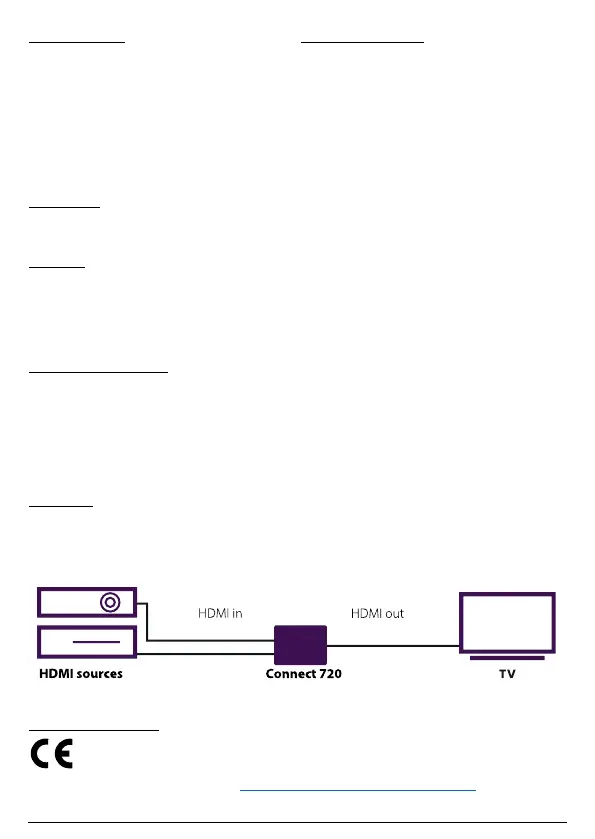
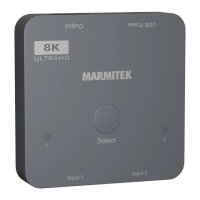
• Connect the HDMI sources to ‘Input 1’ and ‘Input 2’.
• Connect the TV to ‘Output’.
• Use the micro-USB cable to connect the ‘USB Power’
port to a 5V USB power source.
Notes for using the product
• The HDMI switch will switch channel automatically
when a new source is attached or when a device is
turned on.
• To switch the source manually, press the ‘Select’
button. The indicator lights will show what source is
selected.
Technical specifications
Connections
Input 2 x HDMI (female)
Output 1 x HDMI (female)
Video
Resolution Max. 8K60hz, 4K120hz,
supports HDR
HDCP Support HDCP 2.3, 2.2 and 1.4
Colour formats RGB and YCbCr 4:4:4,
4:2:0 or 4:2:2
Colour depth 6/8/10/12-bit
Bandwidth 48 Gbps
Audio
HDMI audio formats DTS-HD Master Audio,
DTS:X, Dolby TrueHD,
Dolby Atmos, Dolby
Digital/ AC3, LPCM7.1
and PCM 2.0CH
Housing and environment
Dimensions 60 x 60 x 12 mm
Weight 30 g
Operating temperature 0° C to 40° C
Operating humidity 20% to 90%
Power
Power consumption(max) 0.5W
Power supply 5V
Connections
Declaration of Conformity
Hereby, Marmitek BV, declares that the Connect 720 is in compliance with the essential requirements
of the 2014/30/EU Directives.
Full Declaration of Conformity is available at www.marmitek.com/en/declarations-of-conformity/


 To Next Page