
 Need help?
Do you have a question about the Marmitek Connect TS41 and is the answer not in the manual?
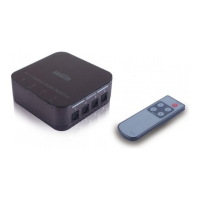
Details the top panel, including input LEDs indicating selected audio input.
Explains connecting audio sources to the optical inputs on the left side of the device.
Describes the buttons and outputs on the right side, including power, input selection, and optical out.
Covers the rear panel, specifically the DC 5V power input for connecting the adapter.
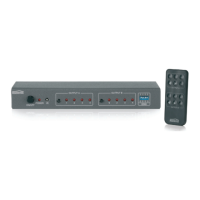
Details the functions of the remote control buttons for power and input selection.
States compliance with relevant European directives and regulations for electromagnetic compatibility.
Provides environmental guidance for proper disposal and recycling of the product.
Outlines the copyright ownership and usage restrictions for the manual content.
 General
| Type | HDMI Switch |
|---|---|
| Number of Inputs | 4 |
| Number of Outputs | 1 |
| Audio Support | Yes |
| Remote Control | Yes |
| 3D Support | Yes |
| Protocol | HDMI |
| Voltage | 5V |
| Installation | Plug and Play |
| HDCP Support | HDCP 2.2 |
| Compatibility | HDMI devices |
| HDMI Version | HDMI 2.0 |


 To Next Page