- 14 -
Tap on “HOME” button to return to the home page.
7
8
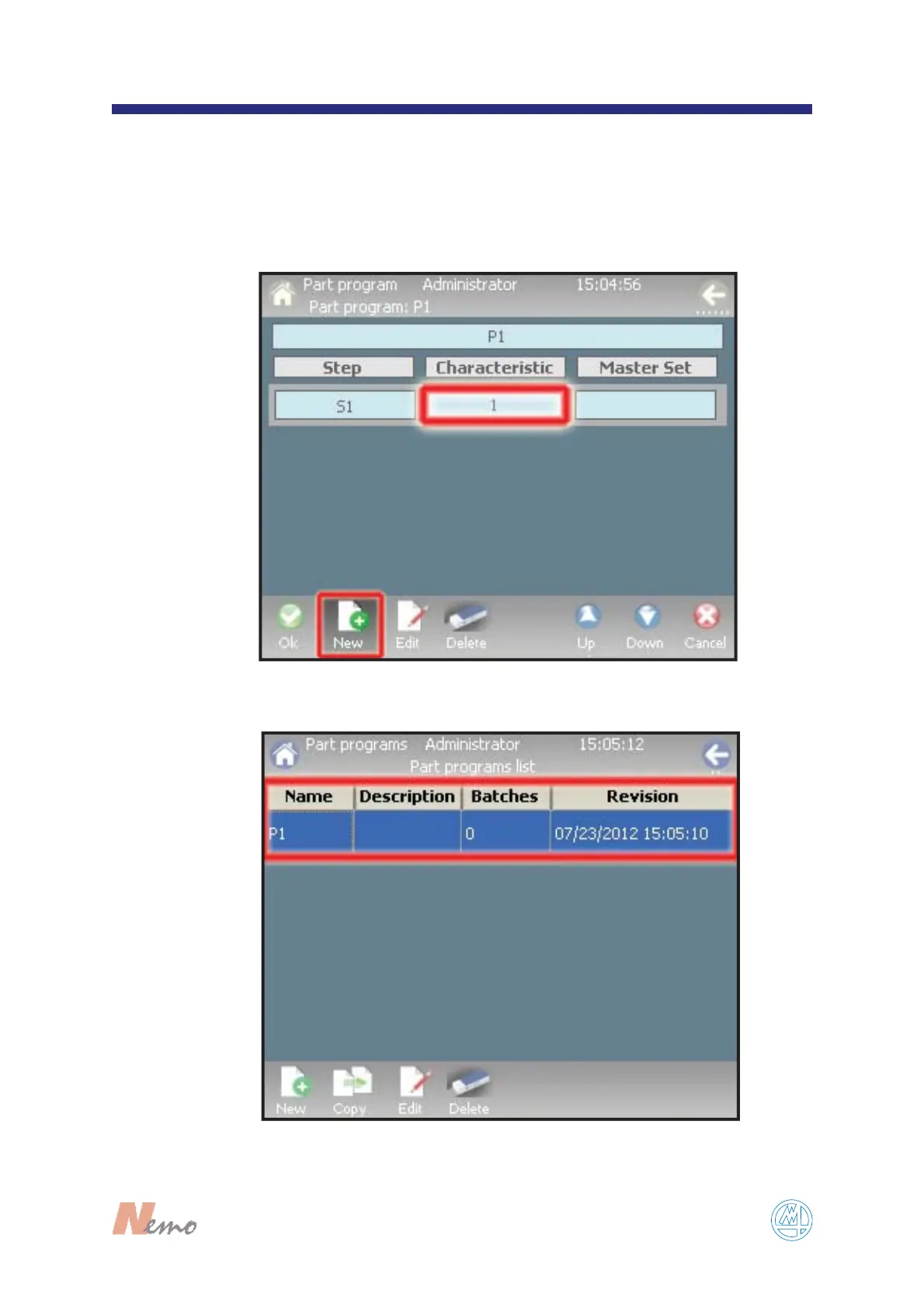
You can now associate more than one characteristic
to the part program, by tapping on “N
EW” and
repeating the entry shown in F
IGURE 6 with a new
characteristic. At the end of that operation tap on
“O
K” (see FIGURE 7).
The new part is created (see F
IGURE 8).
FIGURE 8
F
IGURE 7


 To Next Page