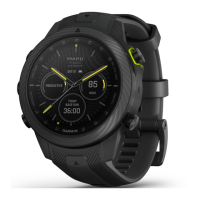
MARQ Golfer (Gen2) 7
EN
2 Tighten the sensor so it does not
move during use.
3 Return the club to your golf bag.
Using a Partial Set of Sensors
Your MARQ Golfer device features
automatic shot detection and recording.
Garmin recommends you attach the
sensors to your putter and wedges to
improve the Garmin AutoShot feature.
For automatic scoring, a sensor must
be attached to your putter to accurately
detect the number of strokes.
Pairing Your Sensors with Your
Device
Before you can record shots, you must
pair your Approach CT10 sensors with
a compatible Garmin golf device, and
assign sensors to your clubs.
1 Attach all sensors to your clubs.
2 Take a club out of your golf bag.
You should keep all of the other
clubs in your golf bag while pairing
TIP: You should complete the
pairing process in a well-lit room.
The sensors automatically wake up
based on the ambient light.
3 Bring the club within 1 m (3 ft.) of
your device.
NOTE: The grip should be pointed
up.
4 From the device settings, select
Club Sensors > Add New.
The device begins searching for the
sensor. A message appears when
the sensor is detected.
5 Follow the on-screen instructions to
pair your device with the club you
removed from the bag.
A message appears when the
sensor is assigned.
6 Return the club to your golf bag.
7 Take out the next club from your
golf bag.
8 Repeat steps 5 through 7 until all of
the sensors have been assigned to
your clubs.
Waking Your Sensors
The sensors automatically wake or


 To Next Page
 Loading...