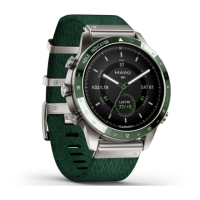
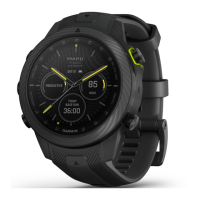
4 MARQ Golfer (Gen2)
EN
watch, you must pair it directly through
the Garmin Connect™ app, instead of
from the Bluetooth
®
settings on your
phone.
1 From the app store on your phone,
install and open the Garmin Connect
app.
2 During the initial setup, select Yes
when you are prompted to pair with
your phone.
3 Follow the instructions in the app
to complete the pairing and setup
process.
Syncing the Time with GPS
Each time you turn on the device
and acquire satellites, the device
automatically detects your time zones
and the current time of day. You can also
manually sync the time with GPS when
you change time zones, and to update
for daylight saving time.
1 Hold MENU.
2 Select System > Time > Sync With
GPS.
3 Wait while the device locates
satellites.
Setting Up Your Garmin Pay Wallet
NOTICE
This feature is not available for/in all
regions.
The Garmin Pay feature allows you to
use your watch to pay for purchases in
participating stores. You can add one or
more participating credit or debit cards
to your Garmin Pay wallet. Go to Garmin.
com.sg/garmin-pay to find participating
financial institutions.
1 From the Garmin Connect app,
select or .
2 Select Garmin Pay > Get Started.
3 Follow the on-screen instructions.
You can open your Garmin Pay wallet
from the controls menu on your watch.
See the owner’s manual for more
information on using the Garmin Pay
feature.


 To Next Page
 Loading...