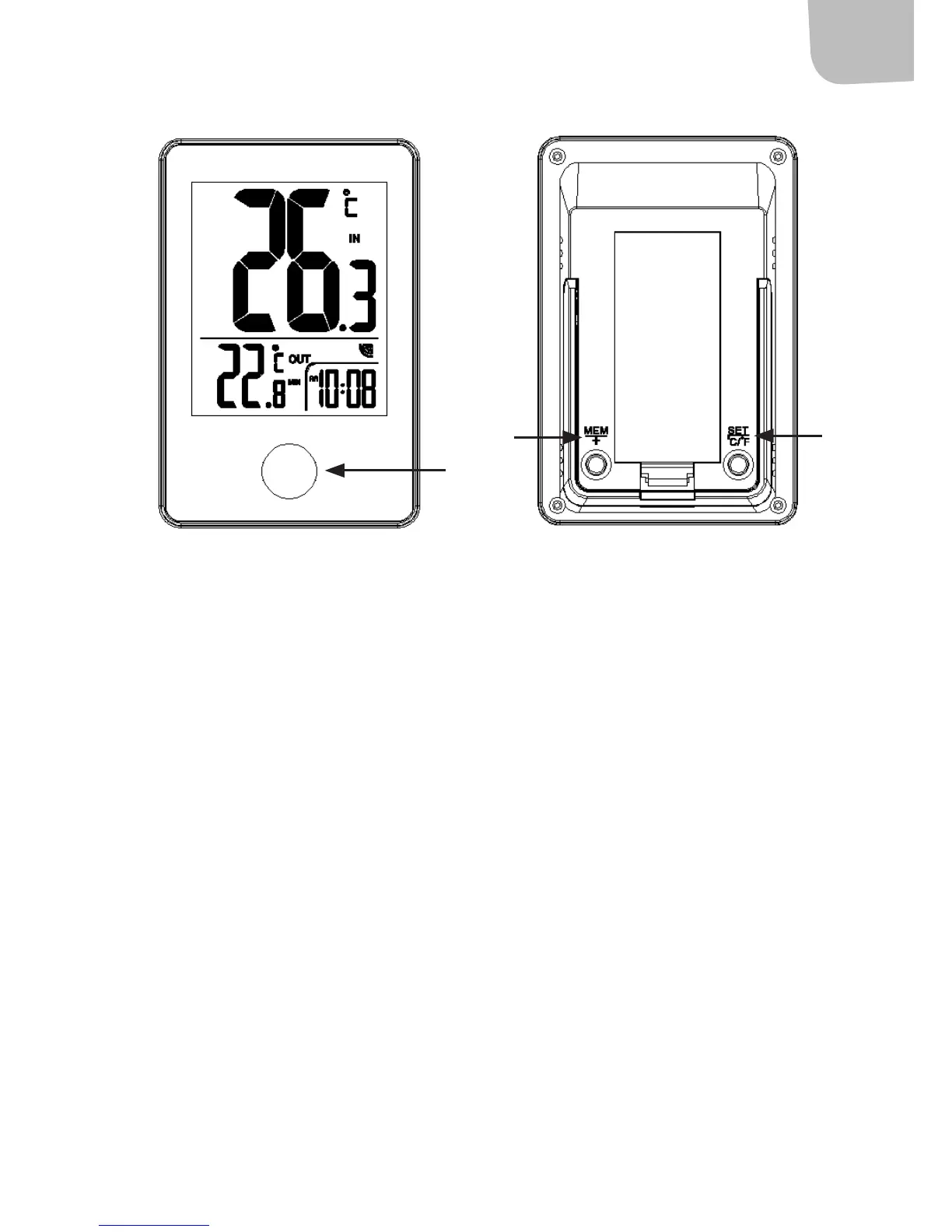
1. IN/OUT button
2. MEM/+ button
3. SET/°C/°F button
Manual setting of clock
• Press the button (3) for about 3 seconds to conrm. The display
eld for 12/24 hour display ashes. Press the button (2) to set
12/24 display.
• Press the button (3) again to conrm. The display eld for hours
ashes. Press the button (2) to set the right hour.
• Press the button (3) again to conrm. The display eld for minutes
ashes. Press the button (2) to set the right minutes.
• Press the button (3) again to conrm and nish, and to switch to
clock mode.
1
2
3
Front Back


 To Next Page