Repair
7-6
29669/02080 Rev AF
Replacing the Controller PCB
Battery
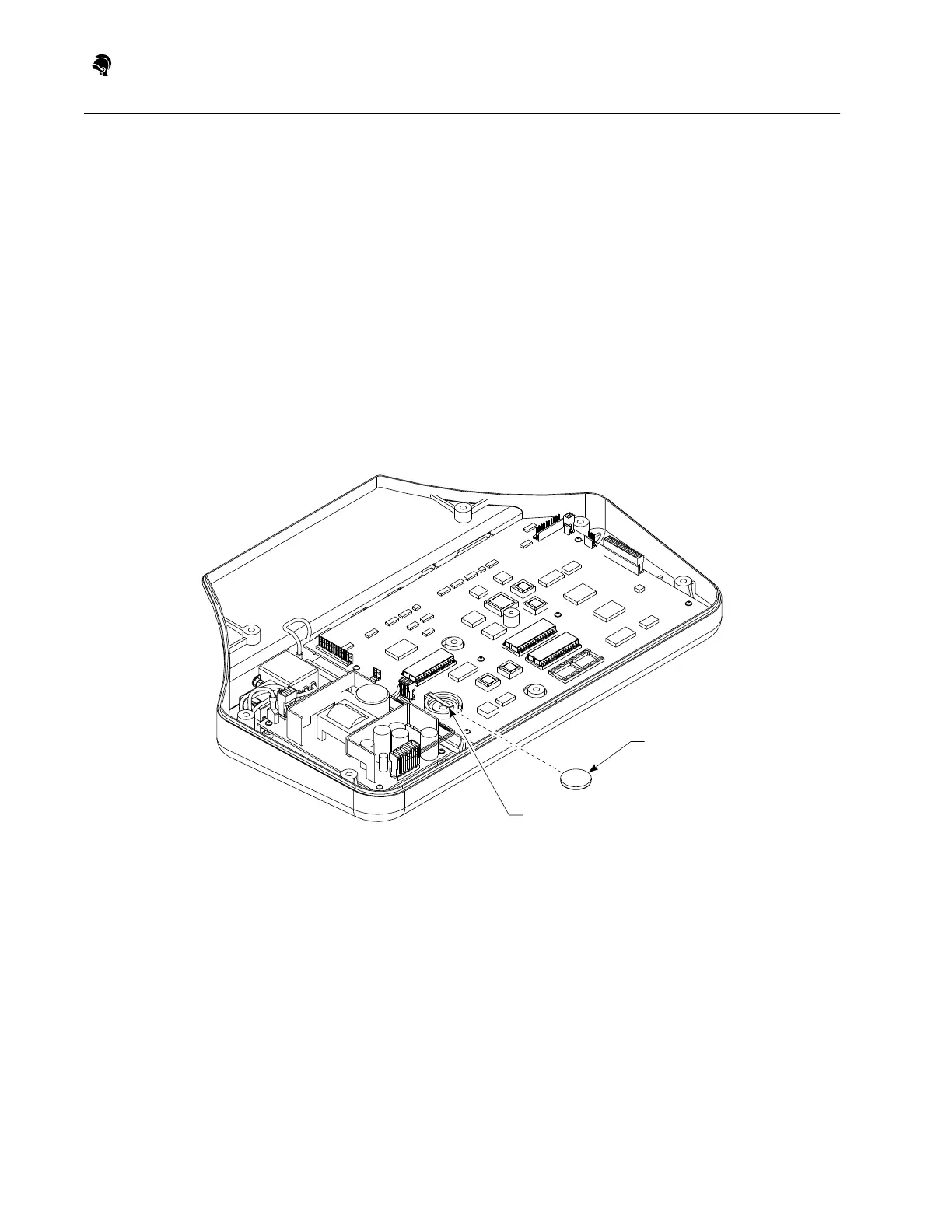
To remove the battery from the controller PCB, refer to Figure 7F and follow
these steps:
CAUTION: Be sure to position the battery correctly to avoid damaging it.
Replace the battery only with an equivalent battery (see the Parts List).
Dispose of used batteries according to local regulations.
1) Remove the controller top. See “Removing the Controller Top” on
page 7-2.
2) Lift the front of the battery up while pushing the back of the battery
forward until it comes out of its clip. (See Figure 7F.)
3) Insert the new battery under the clip and push it down and into place.
4) Reassemble the controller.
Figure 7F: Controller PCB Battery
Battery
Clip


 To Next Page