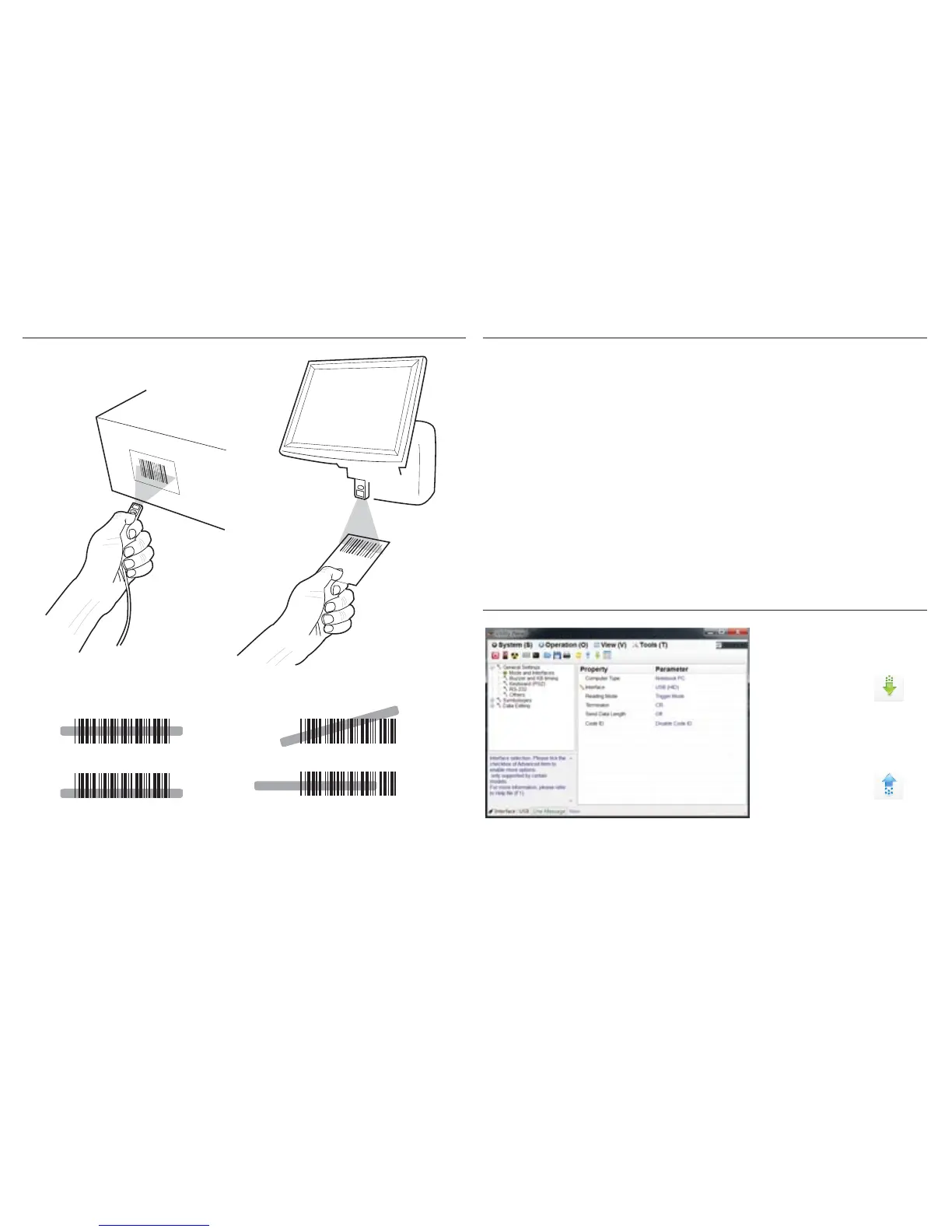
GETTING STARTED
To scan a barcode, make sure the aiming beam crosses
every bar and space of the barcode. For fixed mounted
scanning, Continuous Mode(see READING MODE) is
recommanded.
- 5 -
BEEPER INDICATION
EZU CONFIGURATION UTILITY
Single long beep Power up
Single beep Good read
Single fast beep The scanner reads a Code39 of
ASCII in configuration procedure
Two beeps The scanner successfully reads
a configuration barcode
Three fast beeps The scanner reads an unexpected
barcode during configuration
procedure. (scan [RESET] to abort
and start over)
1. Install EzU
2. Retrieve scanner
parameters
3. Edit the parameters
on the widow
4. Update scanner
parameters
EzU (available on CD and website) enables you to
configure the scanner with your PC/Laptop via USB
two-way communication. Please refer to EzU Help file
for detailed information.
- 6 -


 To Next Page