8
Auto-sleep power saving mode:
Support 6 ~ 8 minutes without operating the keyboard, the
backlight automatically enter the shutdown, the keyboard
into a hibernation state, press any key to wake up.
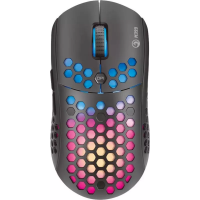
Mouse
2.4G pairing code:
At the same time press and hold the left middle right three
keys (about 5 seconds) until the red-light flashes into the
coding mode, insert the USB receiver code success; charging
red light is always on, full red light off. The mouse does not
operate within 2 minutes into the hibernation state.
Troubleshooting
In case of incorrect operation follow the steps below:
• Check the integrity of the connectors.
• Check the connection to the computer correctly.
• Check the correctness of your computer settings.
• Disconnect and reconnect the equipment; restart
the computer.
If the problem persists, please contact your local seller.


 To Next Page