►
Press SHIFT + ERASE + REC to start the Count-in and record in Replace mode (see sec-
tion ↑7.2.1, Recording Your Patterns Live for more information on the Replace mode).
Adjusting the Count-in Duration
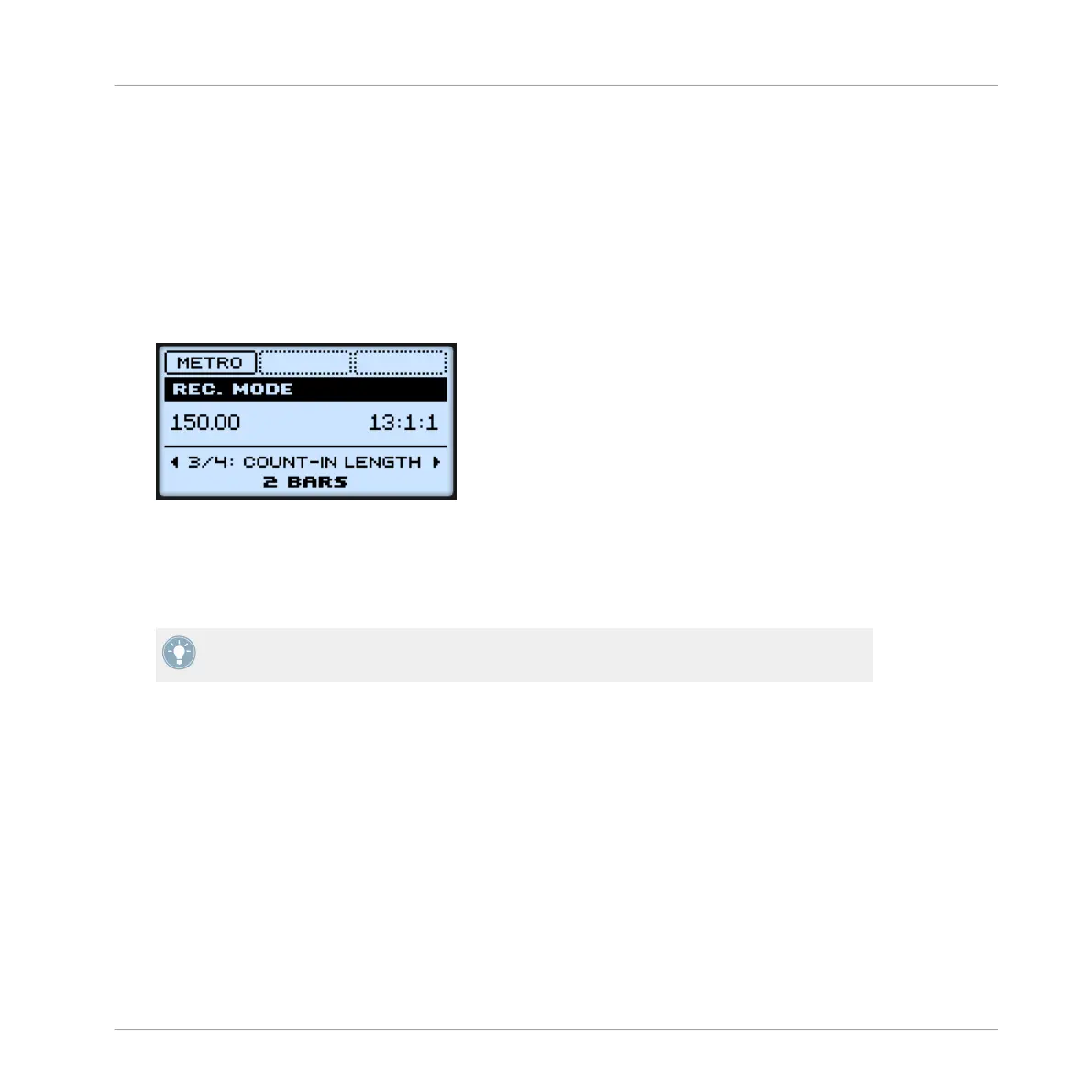
You can adjust the duration of the Count-in in the recording settings:
1. Press SHIFT + GRID to show the recording settings.
2. Press the Left/Right Arrow button to select COUNT-IN LENGTH on the display and turn the
Control encoder to select a duration for the Count-in.
7.2.5 Quantizing while Recording
You can choose to have notes automatically quantized as you record them on the pads. This is
called Input Quantization.
You can also quantize recorded notes at any time. See section ↑7.4.7, Quantizing Events/
Notes for more information.
7.2.5.1 Using Input Quantize on the MASCHINE MIKRO Controller
1. Press SHIFT + GRID to show the record settings.
Working with Patterns
Recording Patterns in Real Time
MASCHINE MIKRO - Manual - 263


 To Next Page