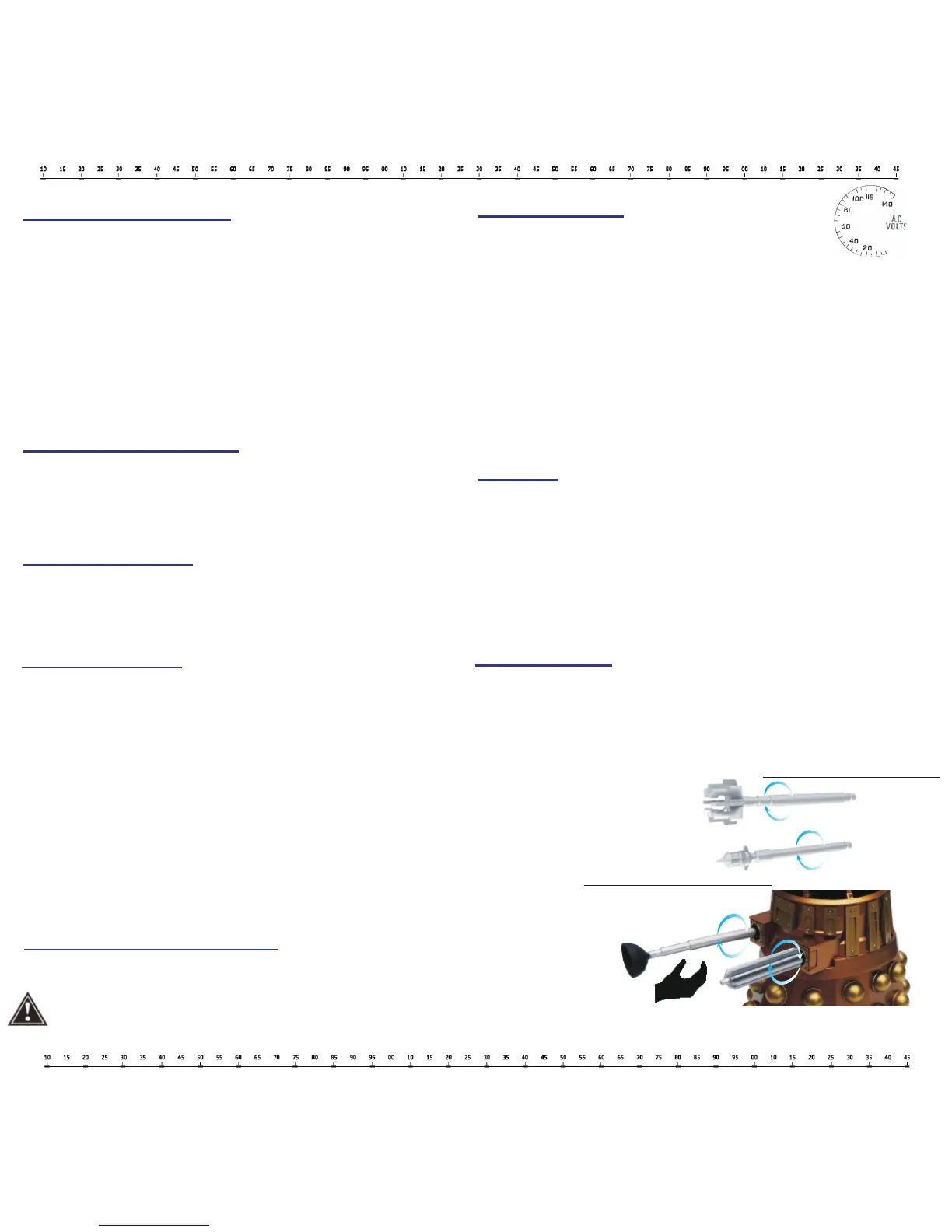
Replacing the Arms or Guns
Follow the instructions on the right to insert or remove appendages.
Do not to pick up your Dalek speakers by their arms or you risk the unit falling due to their interchangeable appendages.
Bluetooth Pairing
The Bluetooth name:
MDBLK name is “DALEK SEC” ;
MDBRZ name is “ASSAULT DALEK”
Turn on speaker, it will search for the last paired device and auto-pair to it
If no device can be auto-paired, the speaker will wait for a new device to connect
To force pair, hold the hands-free button for 5 seconds to start a new pairing
Eye Stalk LED Indicator
Flashes blue 3 times = Unit is ON
Flashes blue continuously = Bluetooth connection in process
Blue LED stays lit = Paired to device
Blue LED stays lit = Auxiliary connection
Flashes red = Low Battery
Antennae LED Indicator
The LED will flash white with music
The LED will flash brighter with volume of music
Base LED Indicator
White LED stays lit = Unit is charging
Green LED stays lit = Unit is fully charged
Voice Indication
Power ON: “Reinitializing”
Power OFF: “Powering down” (Hold down power button)
Bluetooth pairing: “Seek, Locate, Exterminate”
Bluetooth connected: Gun blast
Aux In mode: “Dalek command override”
Low Battery: “You would make a good Dalek”
Charging
We recommend turning off Dalek before charging
Connect Dalek and power source via Micro-USB cable
The LED will be white while charging
The LED will be green when charging is completed
Auto Power Off
If no Bluetooth connection within 5 minutes, device auto power off.
When the battery is too low, device auto power off.
Twist arm left or right and remove
Insert arm and twist right or left


 To Next Page