98
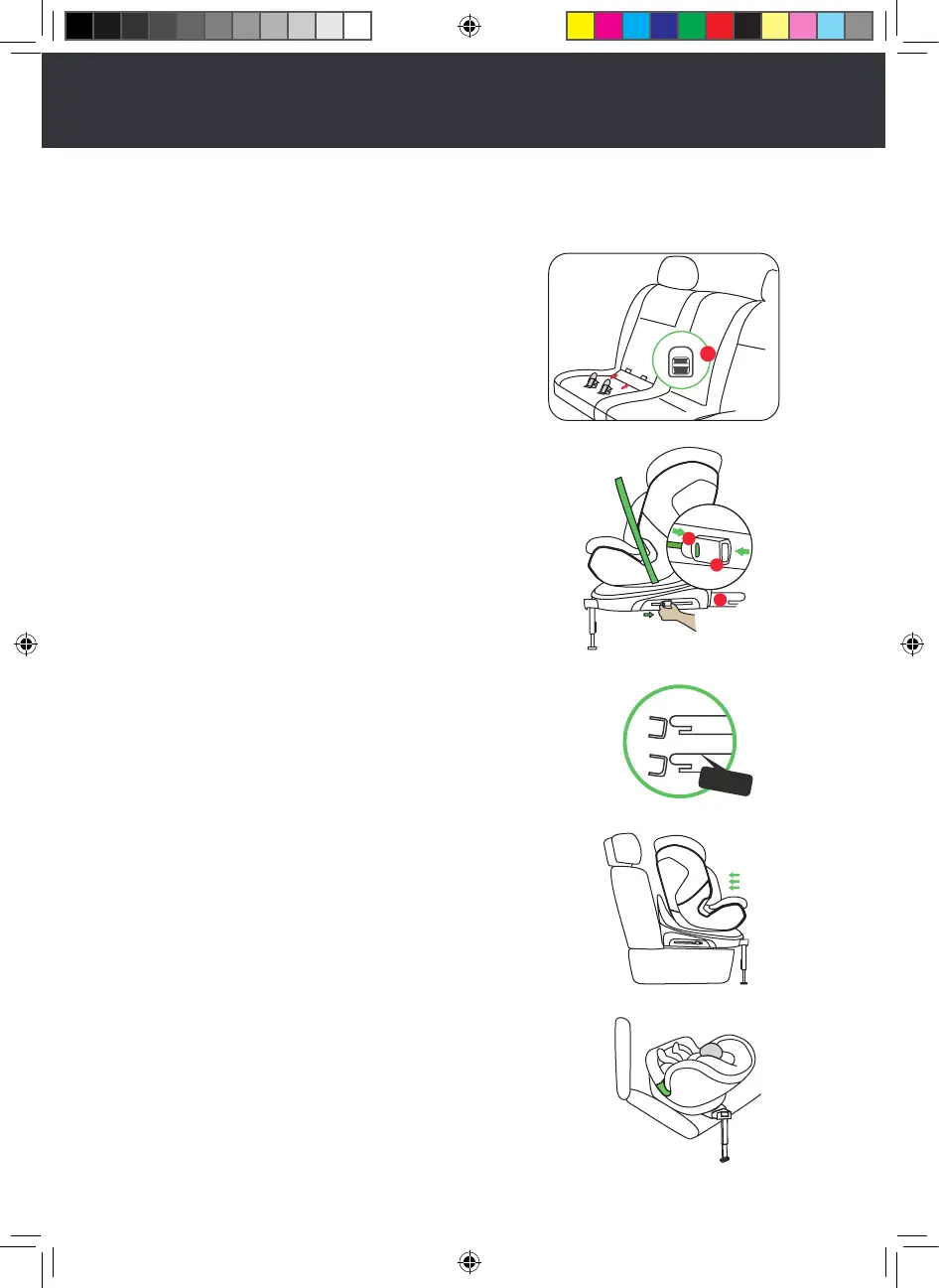
Installing the ISOFIX
Step 1
Please use our ISOFIX guide sleeves
equipped with the ISOFIX ancho-
rages on the vehicle seat. If your car
is not equipped with ISOFIX use
guide 21 (as shown in the figure)
Step 2
Press the ISOFIX secondary lock
button 17 and the ISOFIX release
button 18, then push the ISOFIX 16
forward as far as possible.
Step 3
Push the ISOFIX 16 into the ancho-
rages until an audible “click” sound
is heard. (a green mark will show up
on the button. Make sure that it is
seamless between the seat body and
vehicle seat)
Step 4
Grasp the seat body to check whet-
her the seat is fastened tightly or if it
shakes.
21
17
16
18
click
M.ROX manual car seat 06.03.2023.indd 99M.ROX manual car seat 06.03.2023.indd 99 13.03.2023 14:41:0413.03.2023 14:41:04


 To Next Page
 Loading...