Master Audio
PRO Series.Version 1.5 Nov10
38
2.1. Configurations
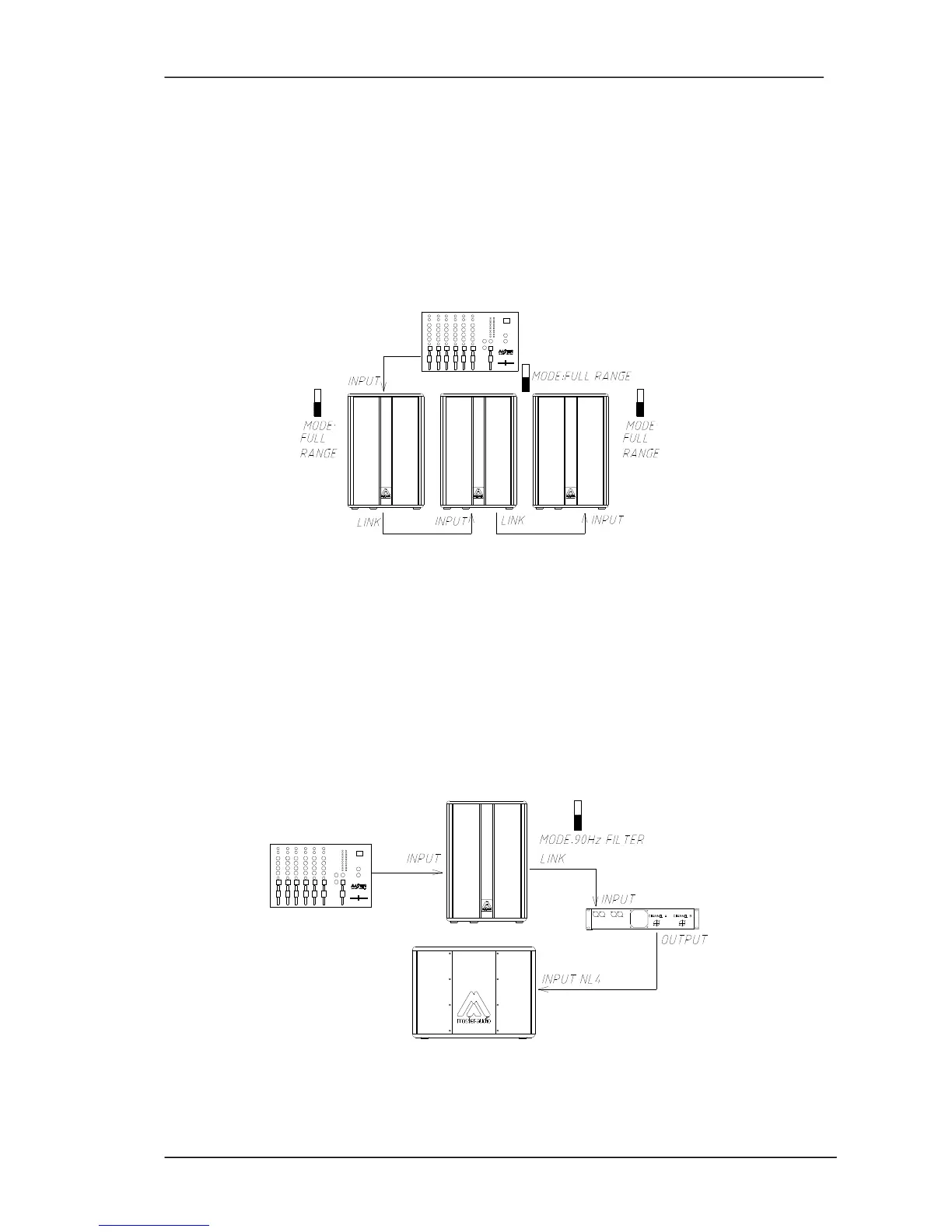
2.1.1. Daisy chaining connection
You may daisy chain as many units as required. Plug into the INPUT of the first unit
(from a Mixer's output). Then connect the LINK output (first unit) to the INPUT of the
second unit, and so on. All of the units in the chain should be switched on.
Place the MODE switch to the FULL RANGE position.
Fig.7. Daisy chaining configuration
2.1.2. Connection with a passive subwoofer
Plug into the INPUT of the cabinet (from a Mixer's output) and then use the LINK
output to carry the signal to the input of an amplifier, which will drive the passive
subwoofer.
Place the MODE switch to the 90Hz FILTER position.
Fig.8. Connection with passive subwoofer



 To Next Page