Master Audio
PRO Series.Version 1.5 Nov10
39
2.1.3. Connection with an active subwoofer
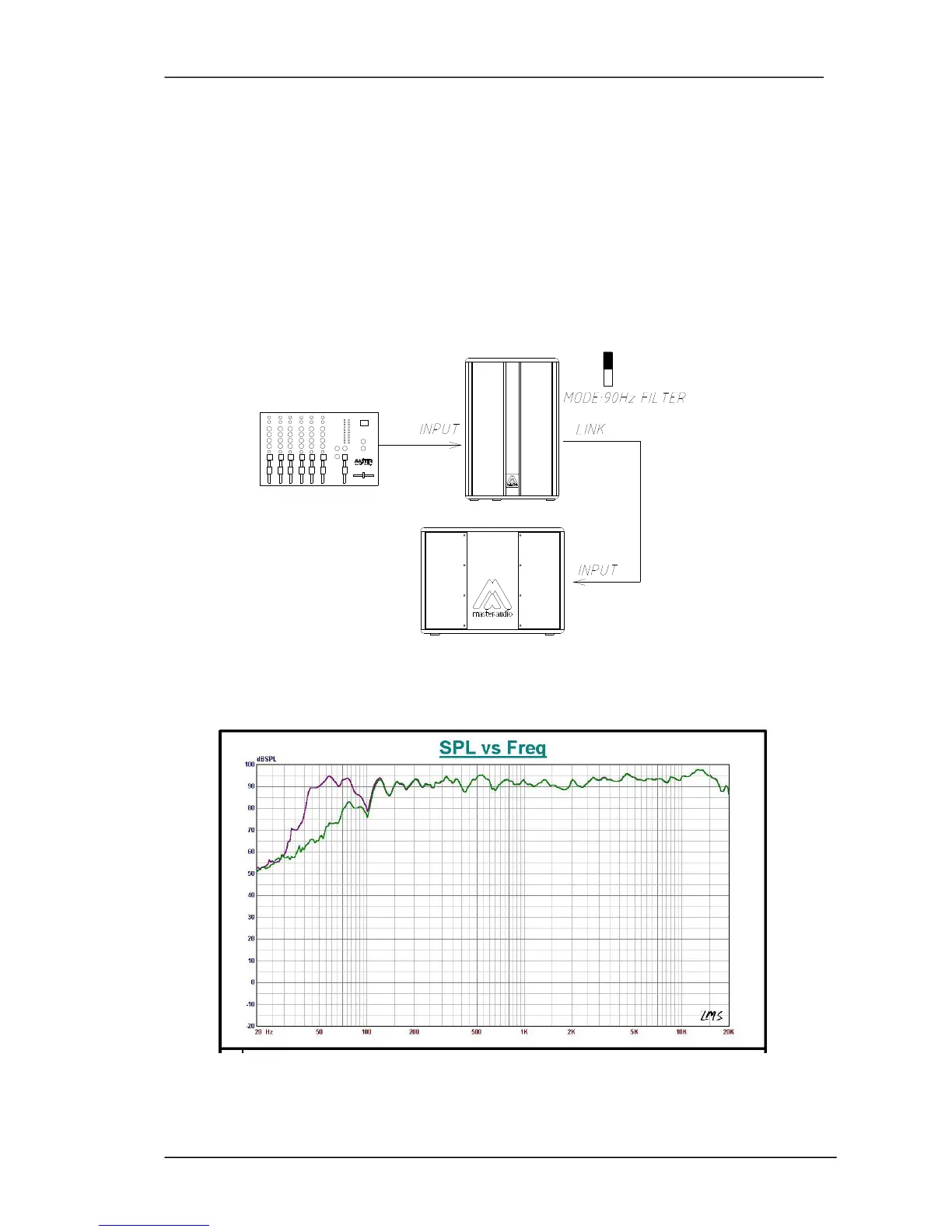
Plug into the INPUT of the cabinet (from a Mixer's output) and then use the LINK
output to carry the signal to the input of the active subwoofer.
Place the
MODE switch to the 90Hz FILTER position. The low energy from the Full
Range cabinet will be cut and the overlap between both cabinets will be done in a
perfect way.
The levels of the subwoofer and the Full Range cabinet can be adjusted through the
Gain potentiometer.
Fig.9. Connection with active subwoofer
Fig.10. FullRange/90Hz mode



 To Next Page