Master Audio
Xcellence Line Array Series 208.Ver 1.2 Sep 12
14
14) 2 x X-208 MAXIMUM CURVED 6º- 10º with subwoofers
P16 [2ARC+_SW]
[LPF90/LPF110/etc..]
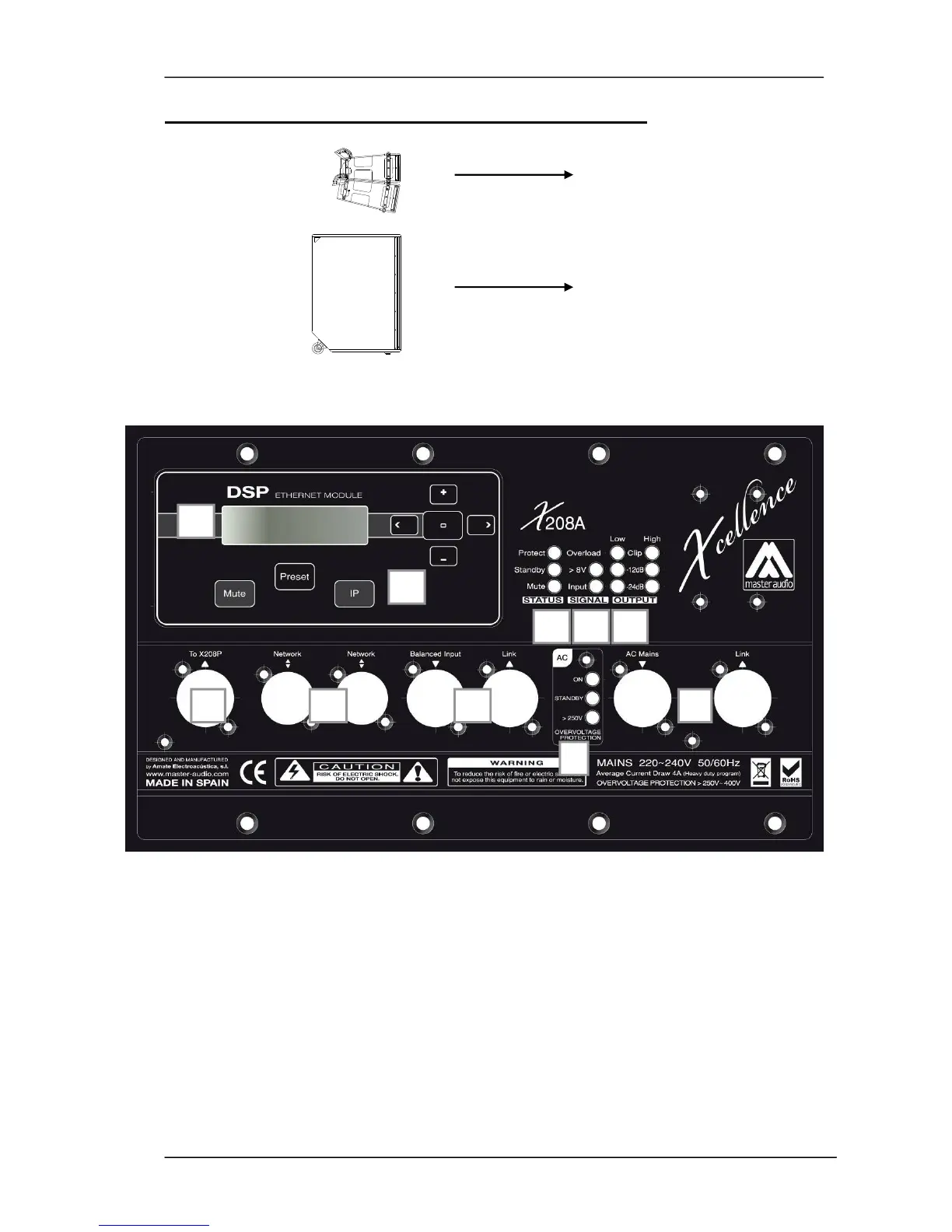
2.3. Control and Connection panel
Fig.9.
X-208A control and connection panel
The X-208A control panel contains the following elements:
A) LCD: Displays basic information about the DSP Status
B) KEYPAD: Allows the user to perform basic operations on the DSP such as IP
address setting, Preset selection, etc.
C) STATUS LEDS: Report a special event happening in the system
Protect: (Red) A fault condition is being reported by the amplifier. If this LED is
constantly lit even after resetting the device, please contact the technical
service.



 To Next Page