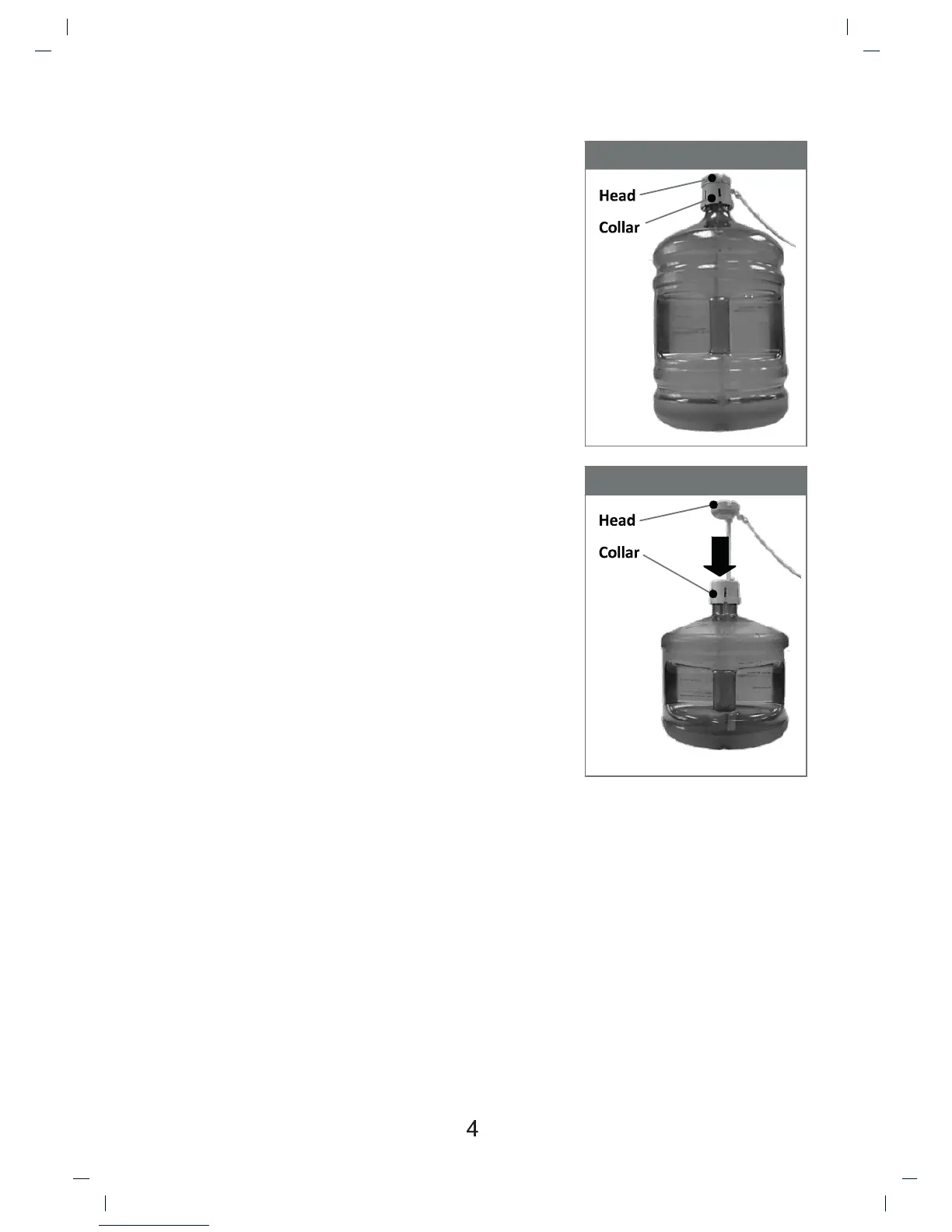
19 L Bole
12 L Bole
Powering On Dispenser
Install water bole
1. Open cabinet door.
2. Place probe assembly on probe hanger.
3. Place fresh bole outside of cabinet.
4. Remove enre plasc cap from top of bole.
5. Clean outside of new bole with a cloth.
6. Place probe into bole.
7. Slide collar down unl it clicks in place.
8. Push head down unl tube hits boom of
bole.
9. Slide bole into cabinet and close door.
Plug cord into a properly grounded wall outlet.
At this me the pump will begin to move water
from the bole to the hot and cold tanks. It will
take up to 12 minutes to fill the tanks for the first
me. During this period the pump will run
connuously. This is normal.
Acvate Heang & Cooling
Noce: This unit will not dispense hot or cold water unl the switches
are acvated.
To acvate, push top side of power switches in to start heang and cooling
water.
- If you do not want to heat water, push boom side of red switch in.
- If you do not want to cool water, push boom side of green switch in.


 To Next Page