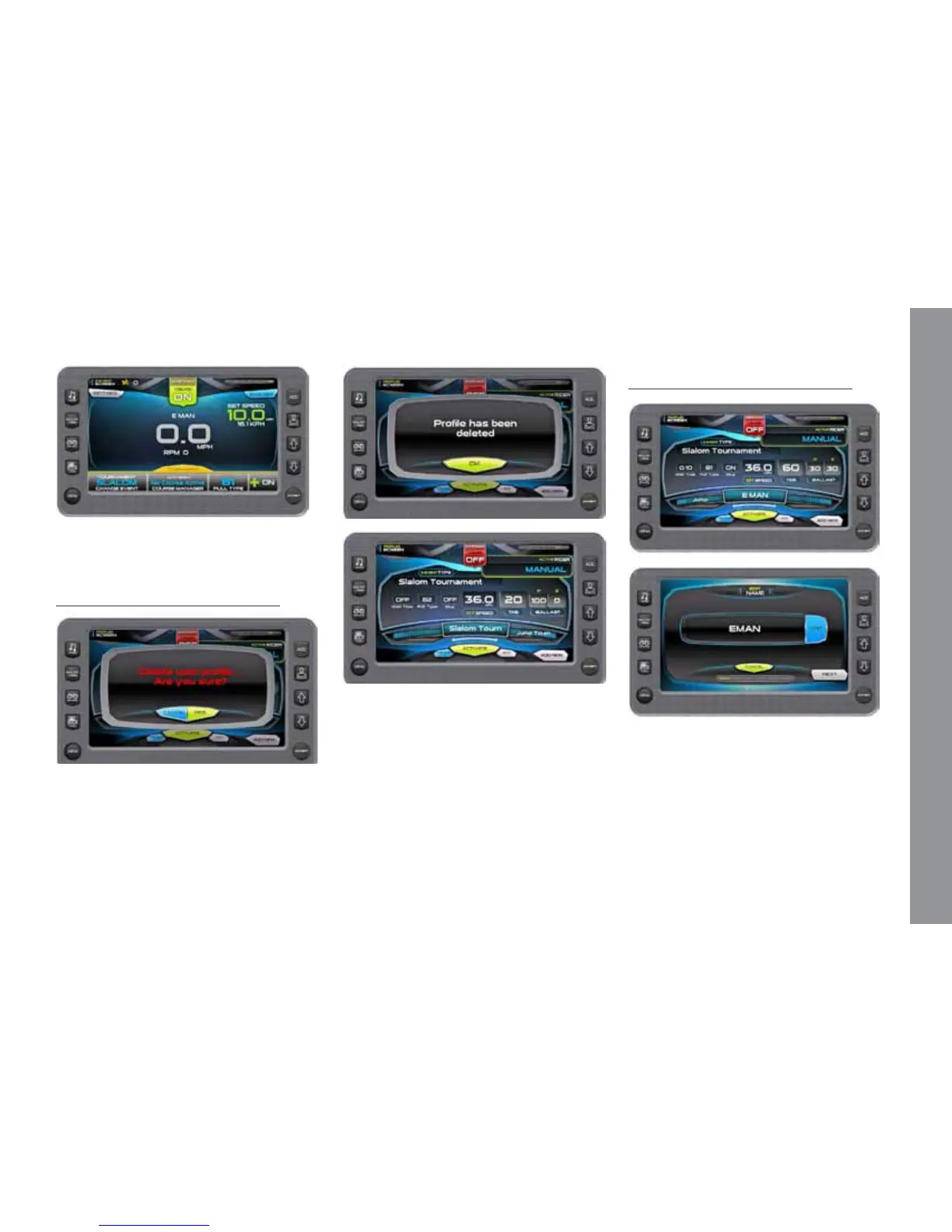
On the 3 Event Screen, everything is ac-
tivated.
Delete Current Profile
Touch [DELETE] to delete the current
prole. A conrmation overlay is displayed.
Touch [CANCEL] to abort the process and
[YES] to conrm delete.
Touch [OK] to return to the Proles
screen. Now the Prole screen has no rider
prole.
Edit Current User
Touch [EDIT] to modify the user prole.
Touch [EDIT] to retype the name, touch
[NEXT] to continue or [CANCEL] to re-
turn to the Proles Screen.
Follow the same steps as creating a new
prole touch [NEXT] to continue to the next
screen without change. Remember to click the
Save on the nal screen to save the changes.
M A S T E R C R A F T P R O S T A R
2014 MasterCraft Owners Manual • ProStar Supplement Page 9-11


 To Next Page