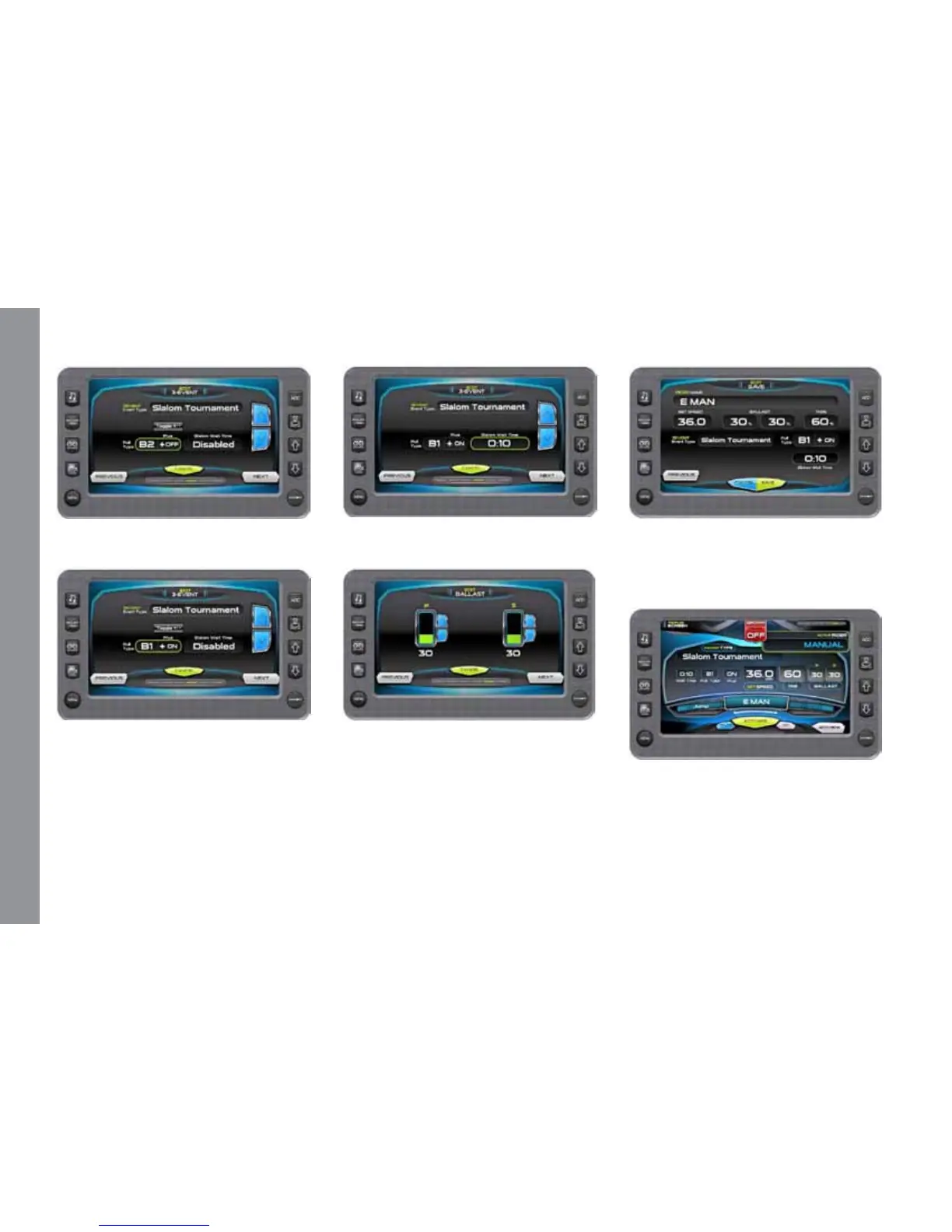
Touch to highlight the Pull Type; touch
the arrows to change the setting.
Touch the Toggle +/- to set ON or OFF.
Touch to highlight the Wait Time; touch
the arrows to change the setting.
Set the ballast tanks by touching and
sliding the nger up the tank area or by
touching the [UP] and [DOWN] arrows
alongside the tank area. Touch [NEXT] to
continue.
Final Save prole or edit screen. Review
the Prole settings. Touch [SAVE] to save
the prole and return to the Proles screen
with the new prole displayed.
New rider activates Screen with New
name listed above the Activate button.
Touch [ACTIVATE] to activate the settings
for this prole.
M A S T E R C R A F T P R O S T A R
Page 9-10 2014 MasterCraft Owners Manual • ProStar Supplement


 To Next Page