M A S T E R C R A F T P R O S T A R
2014 MasterCraft Owners Manual • ProStar Supplement Page 9-19
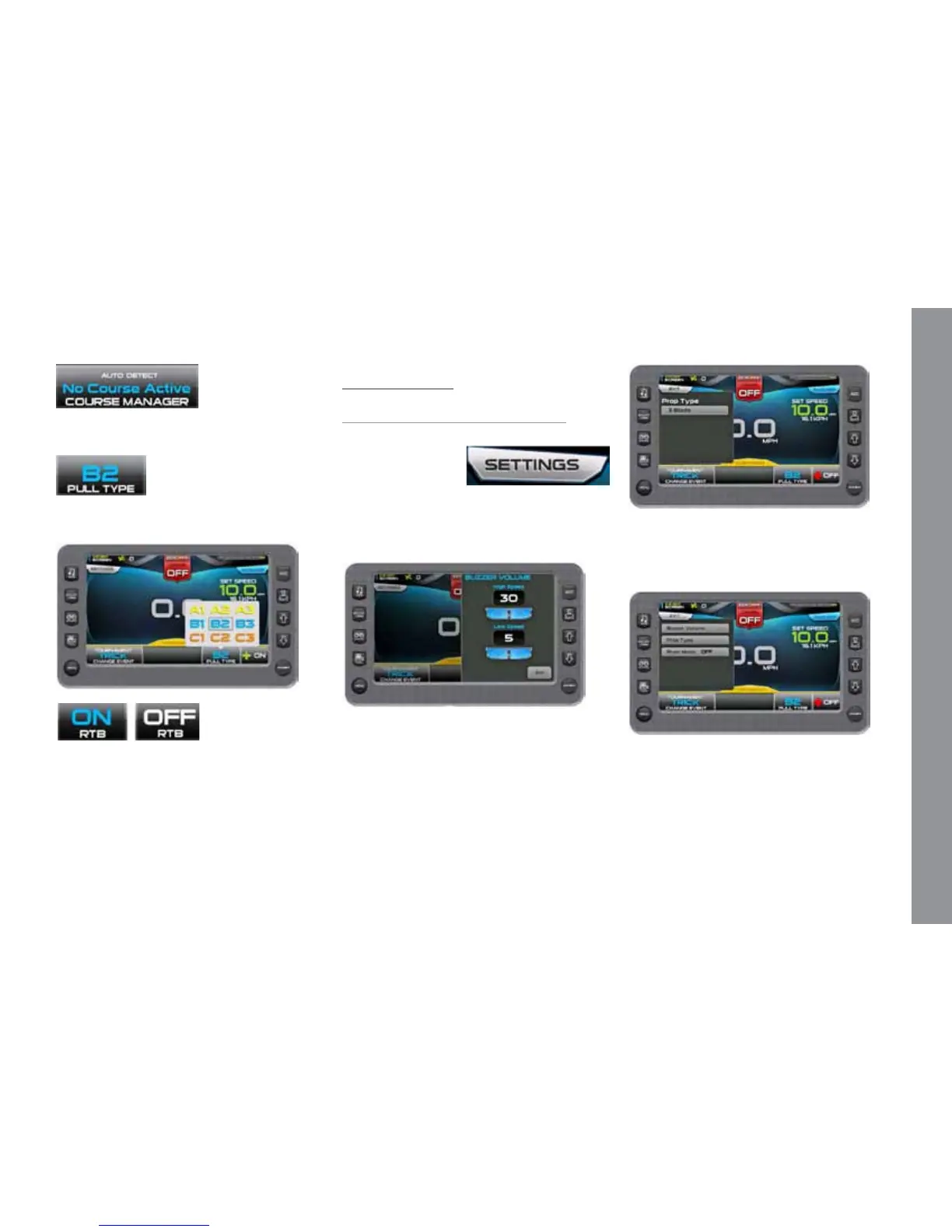
Course Manager – Allows you to map a
course. See Course Manager.
Pull Type –Touch to select a Pull Type
on the pop-up.
Plus-Factor - Touch to select ON or OFF
from the pop-up. In the ON position, the
system will react sooner to both increase
and decrease in speed deviation. Used for
trick setting or additional throttle when en-
tering the rst gate.
Trick Settings–
Tournament or Training
On the 3 Event Screen, touch the Settings
touch command to
access the pop-up
list. Touch each op-
tion to view or change the setting. When
available, touch the arrows to change the
setting. Touch [Exit] to close the pop-up.
Touch [Settings]. Touch [Buzzer Vol-
ume]. On the Pop-up, touch the arrows to
set a value at high speed and low speed.
Touch [Settings]. Touch [Prop Type].
On the Pop-up, touch to set at 3 blade or 4
blade.
Touch [Settings]. Touch [River Mode]
to select ON or OFF. With River Mode
ON, touch to set the River Dir Oset UP
and DOWN values using the arrows.


 To Next Page