M A S T E R C R A F T P R O S T A R
2014 MasterCraft Owners Manual • ProStar Supplement Page 9-21
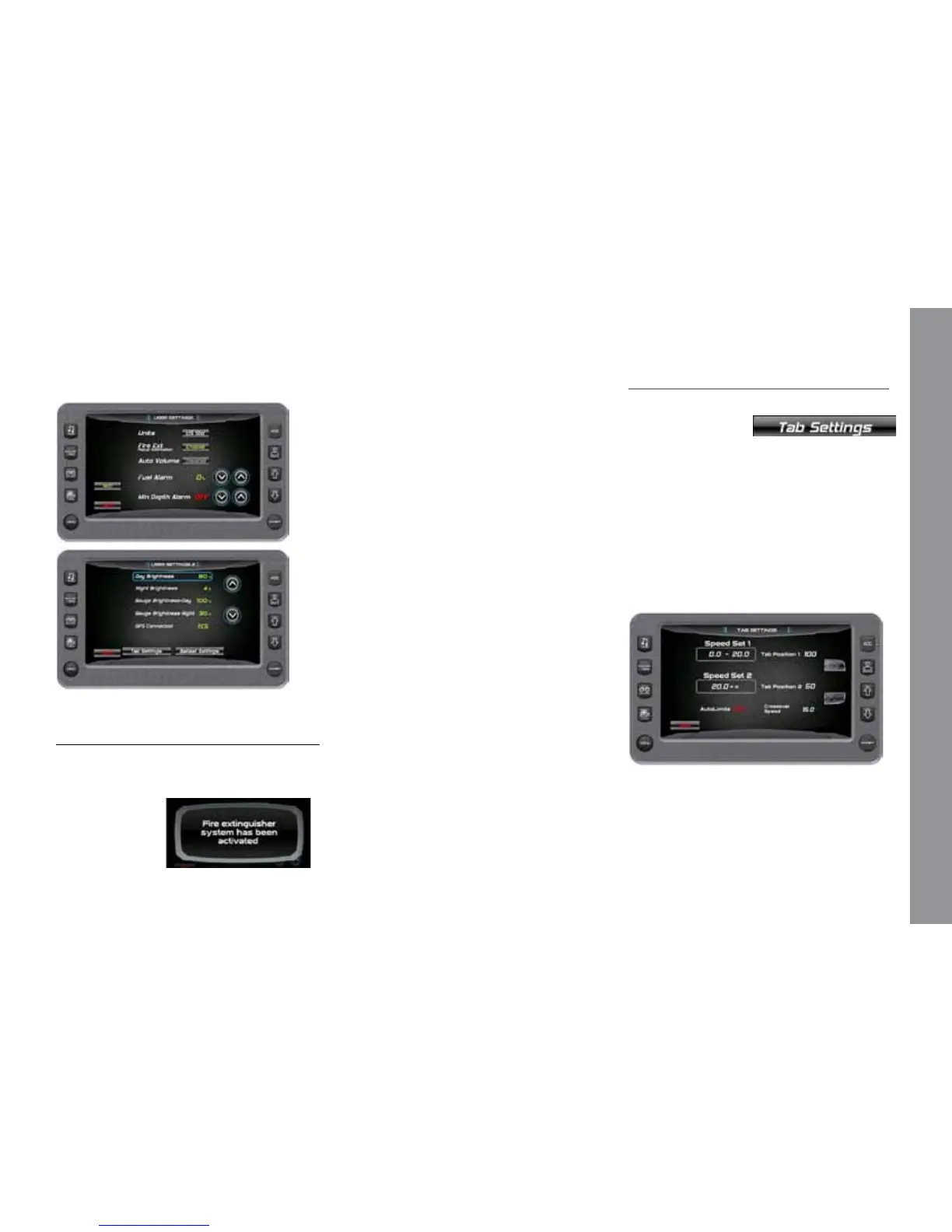
Touch [Next] to access the second screen
and [Back] to return.
Description of Options
Touch Commands Description
Units US Standard (US Std) or Metric
Fire Extinguisher Enable (Pop-up) or Disable
(Pop-up)
Auto Volume Enable or Disable
Fuel Alarm Sets the percent of fuel le in tank
to deploy the alarm
Min Depth Alarm ON or OFF
Day Brightness Sets the screen brightness for
daylight
Night Brightness Sets the screen brightness for
nighttime
Gauge Brightness - Day Sets the gauge brightness for
daylight
Gauge Brightness - Night
Sets the gauge brightness for
nighttime
Tab Settings Page Controls the tab positions for
two trim tabs on
the boat. See Tab Settings.
Ballast Settings Page Controls the ballast ll and
drain times. See
Ballast Setting.
Connects to GPS YES = ere is no Paddle Wheel
Oset eld.
NO = A Paddle Wheel Oset eld is
provided.
Paddle Wheel Oset Sets the paddle wheel oset.
(Only available if GPS
is not connected.)
Tab Settings (Speed, Auto, Position)
On the User Settings Screen, touch the
Tab Settings touch
command to access
the Tab Settings screen. e Auto Tab Set-
tings provide the user with the opportunity
to control the tab positions for two trim
tabs on the boat. e following can be con-
trolled through these settings:
• Two Speed settings
• Trim Tab positions
• Turn Auto Limits ON and OFF
• Set the Auto Launch timing


 To Next Page