• SPN – “Suspect Parameter Number” -
fault code If not translated into text by the
display, see the engine manufacturer’s liter-
ature for the denition of the SPN number.
• FMI – “Failure Mode Indicator” - fault
code e FMI is dened by SAE J1939. If
not translated into text, see the SAE stan-
dard, or the engine manufacturer’s litera-
ture.
• Description Field – Most common SPN’s
and FMI’s have text for the description
stored in the display. If there is no text, then
this SPN and FMI must be dened by refer-
ring to the engine manufacturer, or the SAE
J1939 standard.
NOTE: is eld is only used with cer-
tain brands and models of engines.
Corrective Action (Suggested action for
correction):
Get Faults
Touching [Get Faults] queries the
engine(s) ECU for feedback on diagnostic
codes that have been activated and stored
in the ECU for service needs.
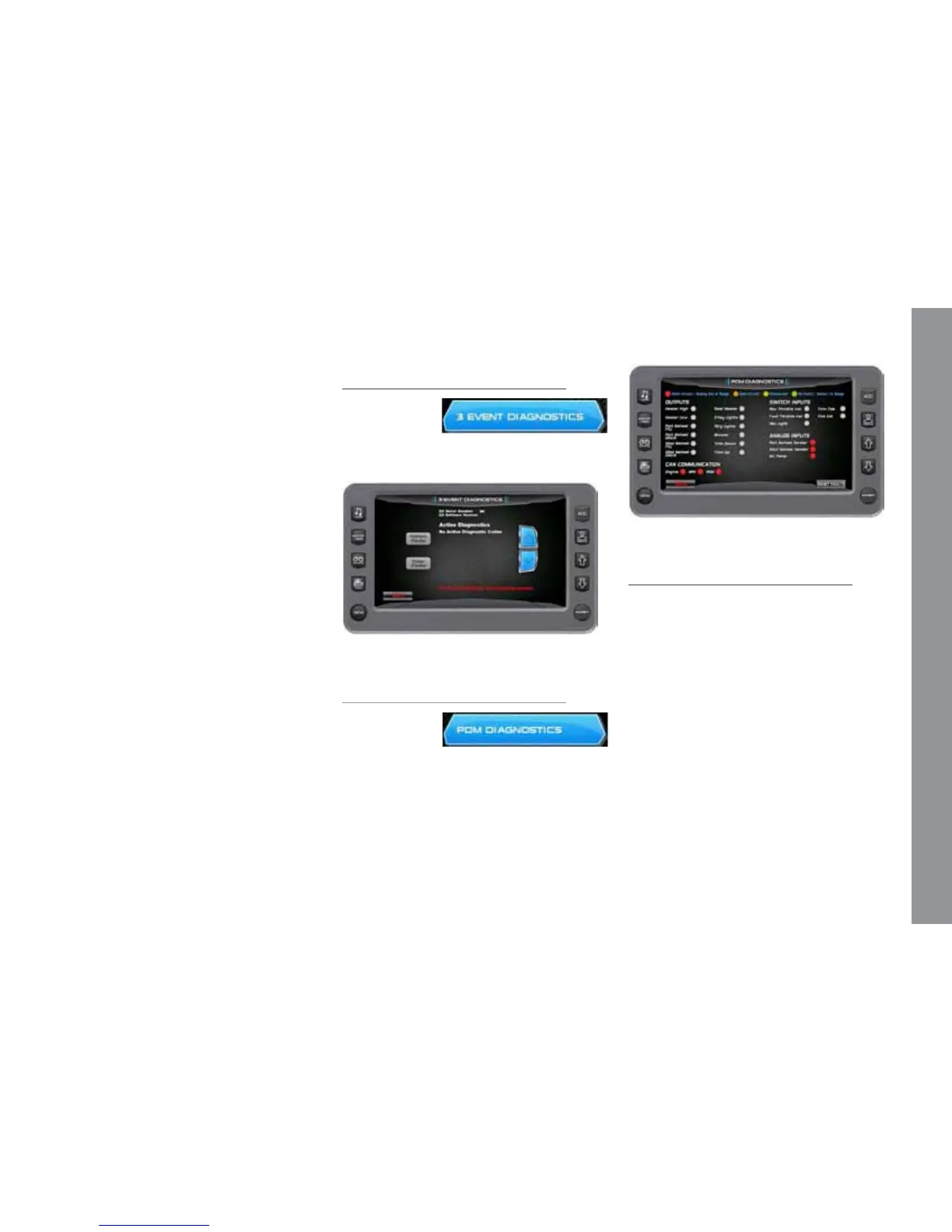
3 Event Diagnostics
On the Diag-
nostics Menu,
touch the 3
Event Diagnostics touch command to ac-
cess the 3 Event Diagnostics screen.
PDM Diagnostics
On the Diag-
nostics Menu,
touch the PDM
Diagnostics touch command to access the
PDM Diagnostics screen.
M A S T E R C R A F T P R O S T A R
2014 MasterCraft Owners Manual • ProStar Supplement Page 9-25
3-Event Charts
On the Settings Menu screen, touch the
3 Event Touch Command to access the
3-Event Charts screen. e charts display
reference tables of the Slalom Timing Tol-
erances and Jump Timing Tolerances.
IMPORTANT: Use the 3-Event Charts
for reference only. e charts will not re-
ect any changes, should a change occur in
the rule book. We suggest periodically veri-
fying the charts with the current rule book.
Touch [More] to view the next page.


 To Next Page