2023 OWNER’S MANUAL
/
192
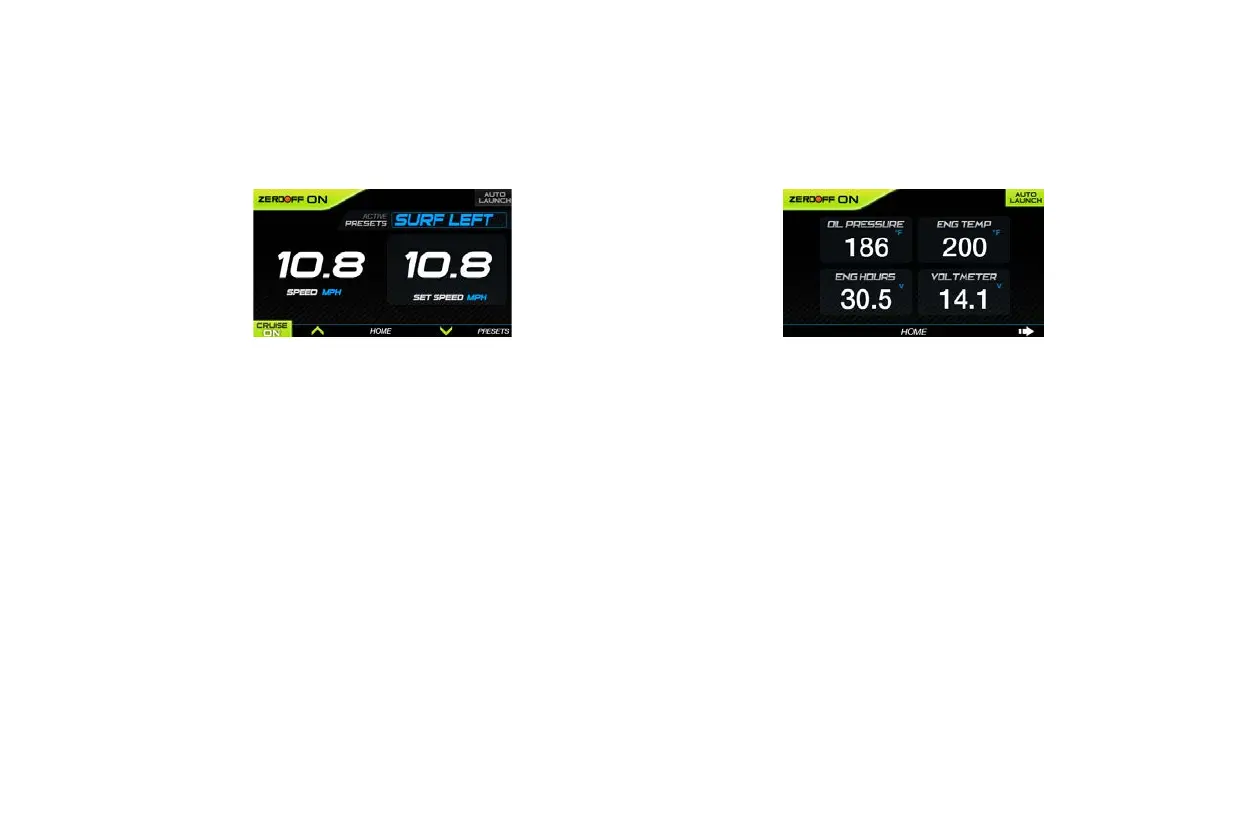
Cruise
From the Home screen, the Cruise screen can be accessed by
pressing the Display Key under CRUISE in the Menu Bar.
The Cruise screen displays the Following features:
• Cruise ON or OFF
• MPH/KPH – Vessel Speed
• Set Speed MPH/KPH – Determined Vessel Speed When Cruise
is ON
Pressing the PRESETS button within the Cruise screen will allow
operators to activate a factory built wake profile. Presets exist for:
• SURF LEFT - Set Speed 10.7 MPH
• SURF RIGHT - Set Speed 10.8 MPH
• WAKE - Set Speed 21.0 MPH
• SKI - Set Speed 30.0 MPH
Status
From the Home screen, the Status screen can be accessed by
pressing the Display Key under STATUS in the Menu Bar.
Status Screen Features
• Cruise ON or OFF
• Oil Pressure
• Engine Temperature
• Engine Hours
• Voltmeter
Press the HOME key to return to Home or press the ARROW key to
scroll to other screens.



 To Next Page