13
1. Charge the Lithium-Ion battery pack with the correct charger.
2. Connect the charger to a power supply.
3. Align the raised ribs of the battery pack with the slot in the charger.
4. Insert the battery pack into the charger (Fig. 2).
5. The charger will communicate with the battery pack to evaluate the
condition of the battery pack.
6. The green lights will flash while the battery pack is charging. After
charging is complete, the green LED on the charger will be on. The
flickering red light indicates a defective battery or a bad connection
between the battery and the charger.
7. The battery pack will fully charge if left on the charger, but it will not
overcharge.
NOTE: For your convenience, the charger can operate with most generators
and inverters rated at 300 watts or higher.
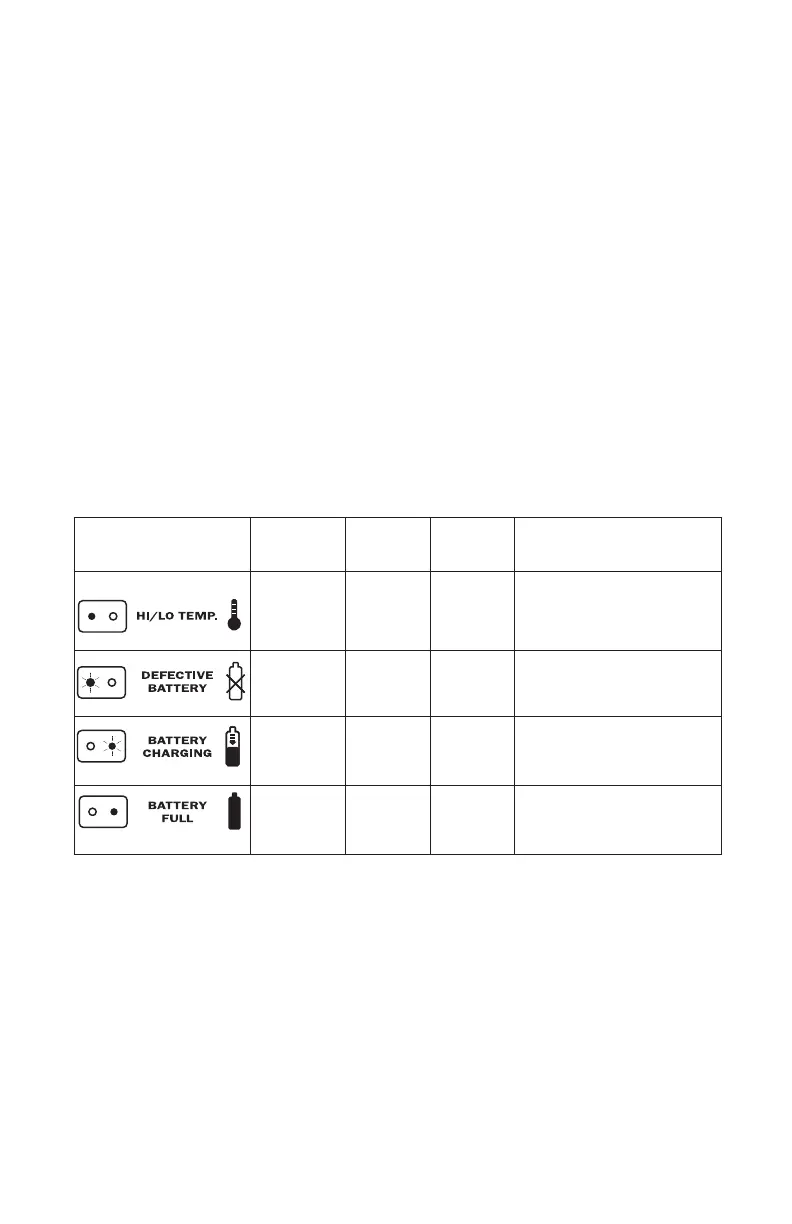
LED FUNCTIONS OF CHARGER (Fig. 3)
CHARGING A HOT BATTERY PACK
If the battery pack is above normal temperature range, the red LED will
illuminate and the green LED will be off. When the battery pack cools down
to approximately 104°F (40°C), the charger will automatically begin charging.
CHARGING A COLD BATTERY PACK
If the battery pack is below the normal temperature range, the red LED will
illuminate and the green LED will be off. When the battery warms to a temperature
of more than 50°F (10°C), the charger will automatically begin charging.
DEFECTIVE BATTERY
LED INDICATOR
BATTERY
PACK
RED
LED
GREEN
LED
ACTION
Hot/Cold
battery
On Off
Fast charge will begin when
battery returns to 50°F (10°C)
and 104°F (40°C).
Defective Flashing Off
Battery pack or charger
is defective.
Charging Off Flashing Charging
Fully
charged
Off On Charging is complete.



 To Next Page