8
10. Blade barrel
11. Clamping screw
12. Adjustable front base
13. Fixed rear base
14. Edge guide
15. Bag adaptor
16. Dust bag
17. Wrench
18. Wrench storage sleeve
REMOVING OR INSTALLING PLANER BLADES
CAUTION: Always ensure that the tool is switched OFF and unplugged from
the power supply before installing or removing blades.
Your planer is fitted with reversible blades. Blades can be reversed when
one edge has become blunt. After
both sides of the blades have been
used they should be discarded and
replaced with identical blades.
NOTE. These blades cannot be re-
sharpened.
REMOVING A PLANER BLADE
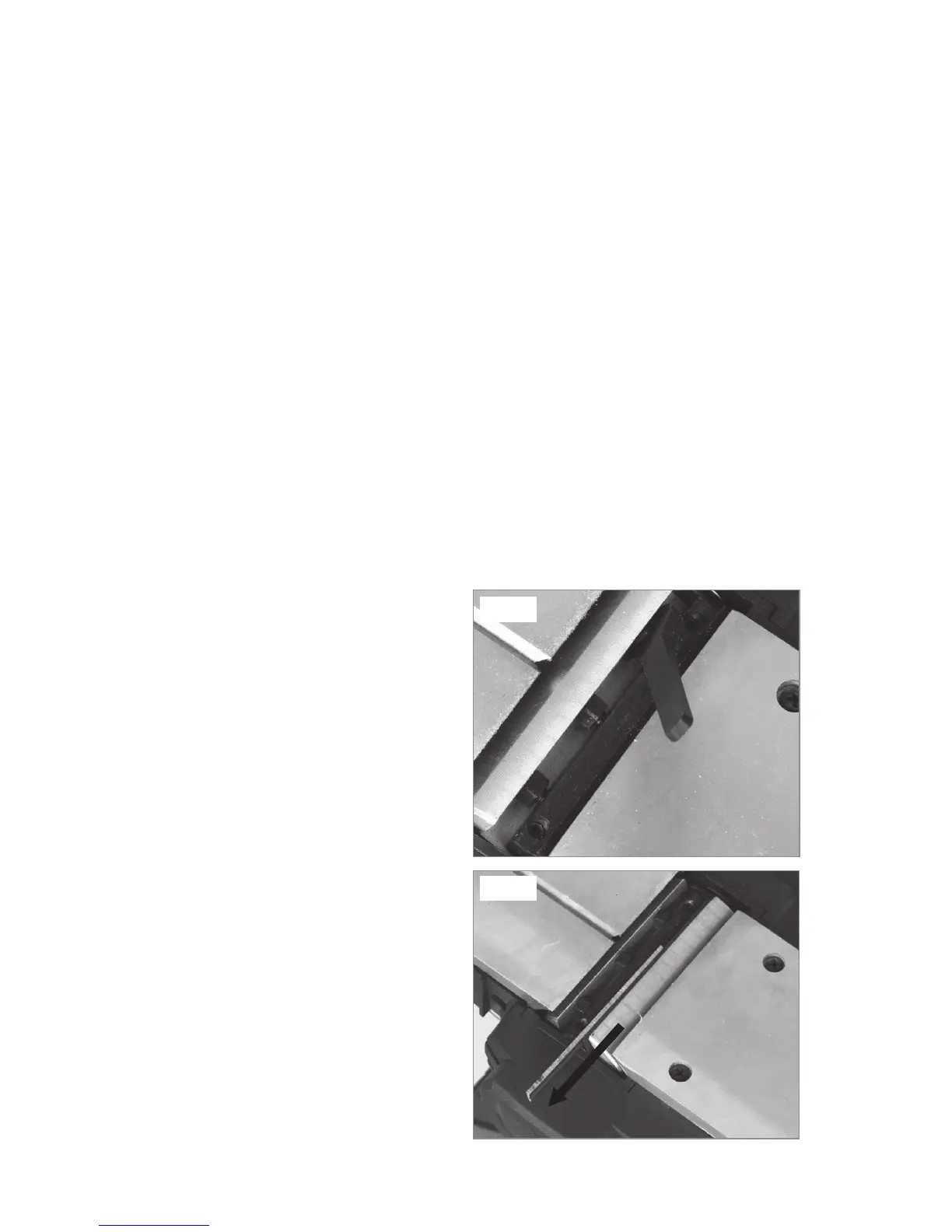
1. Using the wrench (17), loosen the
three clamping screws (11) (See
Fig. 2).
2. Slide the planer blade (9) from the
slot in the blade barrel (10)
(See Fig. 3).
INSTALLING A PLANER BLADE
(See Fig. 4)
1.Use the other edge of the
reversible planer blade (9), or, if
dull, replace the blade.
Fig. 3
Fig. 2


 To Next Page